The best free AI logo generators in 2026 are Canva and Adobe Express if you want a logo you can download for free, Looka and Brandmark if you want a full brand kit and are happy to pay once you like a design, and ChatGPT or Gemini if you want fast concept ideas. Designs.ai is a solid option if you also need other brand content.
One catch matters more than any feature: many “free” logo makers are free to design but charge to download high-resolution files. And a logo built from templates or pure AI output can be hard to protect as a trademark. This guide covers both so you can choose with clear eyes.
Quick Picks: Best Free AI Logo Generators
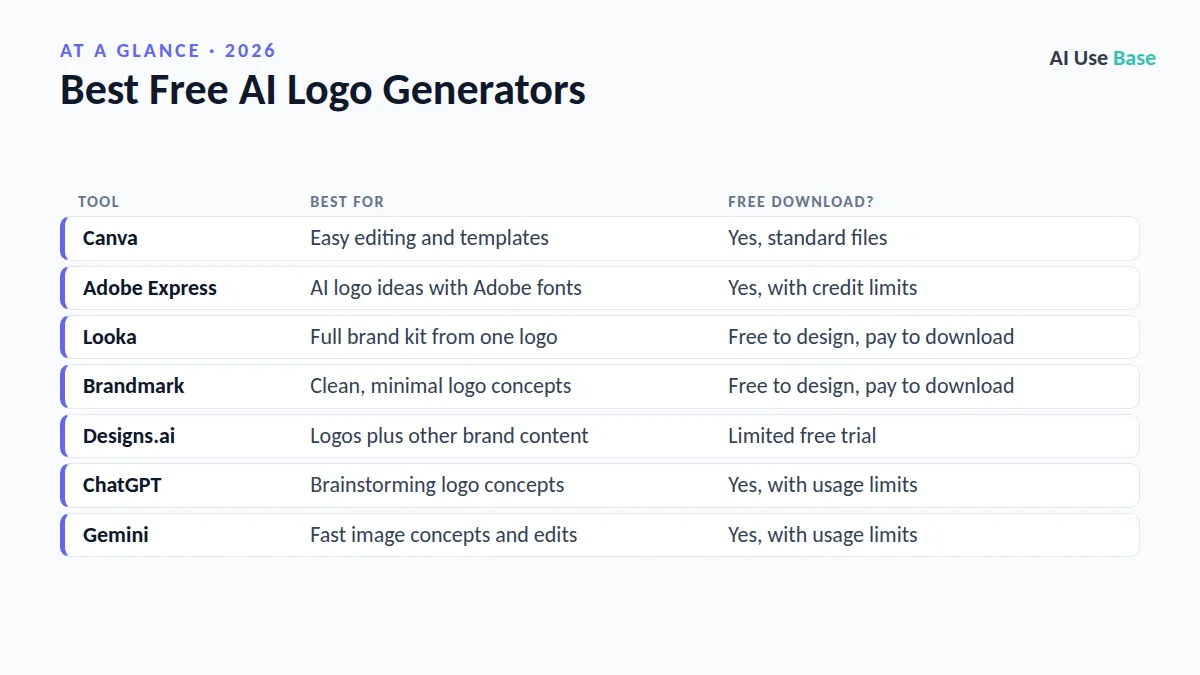
| Tool | Best for | Free download? |
|---|---|---|
| Canva | Easy editing and templates | Yes, standard files |
| Adobe Express | AI logo ideas with Adobe fonts | Yes, with credit limits |
| Looka | Full brand kit from one logo | Free to design, pay to download |
| Brandmark | Clean, minimal logo concepts | Free to design, pay to download |
| Designs.ai | Logos plus other brand content | Limited free trial |
| ChatGPT | Brainstorming logo concepts | Yes, with usage limits |
| Gemini | Fast image concepts and edits | Yes, with usage limits |
How We Chose the Best Free AI Logo Generators
We used official product pages, help docs, and pricing pages instead of personal testing claims. Prices last checked October 2026; logo packages change often, so confirm on each official site. We weighed:
- Real free value: Can you download a usable file without paying?
- File quality: PNG with transparent background, SVG or vector formats, and sizes for web and print.
- Editing control: Can you adjust fonts, colors, spacing, and icons?
- Licensing: What rights you get, and whether you can trademark the result.
The 7 Best Free AI Logo Generators in 2026
1. Canva
Canva tops our list of the best free AI logo generators because it is the easiest place to start. You can pick a logo template, swap in your name and colors, or generate icon ideas with Canva’s AI image tools, then download a PNG on the free plan. Canva Pro adds transparent backgrounds, brand kits, and more export options.
- Best for: Beginners and small businesses on a budget
- Free plan: Yes, with free templates and downloads
- Paid from: Canva Pro
- Standout: Huge template library and simple editing
Important: Canva’s rules limit trademarking logos built from its stock elements. Read Canva’s trademark help page before you register anything.
2. Adobe Express
Adobe Express earns a spot among the best free AI logo generators with a logo tool powered by Adobe Firefly. Describe your business and style, and it suggests logo designs you can refine with Adobe’s fonts and layout tools. The free plan includes a monthly allowance of generative credits, and Adobe states Firefly is designed to be commercially safe.
- Best for: Users who want polished typography
- Free plan: Yes, with monthly generative credits
- Paid from: Adobe Express Premium
- Standout: Firefly AI plus professional fonts
Try it: Adobe Express AI logo generator.
3. Looka
Looka asks for your company name, industry, and style preferences, then generates many logo options you can customize. It is one of the best free AI logo generators for exploring ideas, but downloading files requires a one-time package or a Brand Kit subscription that adds business cards, social graphics, and brand guidelines.
- Best for: Founders who want a complete brand identity
- Free plan: Free to design and preview
- Paid from: One-time logo packages; Brand Kit subscription
- Standout: Brand kit with matching templates
Plans: Looka pricing.
4. Brandmark
Brandmark is one of the best free AI logo generators for clean, modern designs, built from a business name and a few keywords. Results lean minimal, which suits tech startups, apps, and online shops. Like Looka, you can browse designs for free and pay a one-time fee for the files and brand assets you need.
- Best for: Startups that want a minimal, modern look
- Free plan: Free to generate and preview
- Paid from: One-time packages
- Standout: Quick, tidy concepts with matching color palettes
Visit: Brandmark.
5. Designs.ai
Among the best free AI logo generators, Designs.ai stands out by bundling a logo maker with tools for videos, social graphics, and copy. That makes it handy for marketers who want one subscription for several brand tasks. Free access is limited, so treat it as a trial before committing.
- Best for: Marketers who need logos and content together
- Free plan: Limited free trial
- Paid from: Monthly subscription
- Standout: Logo maker inside a wider creative suite
Visit: Designs.ai Logo Maker.
6. ChatGPT
ChatGPT can generate logo concepts from a plain-language prompt, such as “a flat, minimal fox icon for a coffee shop called Ember, warm orange, no text.” It is excellent for brainstorming directions quickly. However, it creates raster images, not true vector files, so a designer or vector tool is still needed for a final logo.
- Best for: Brainstorming styles and icon ideas
- Free plan: Yes, with image generation limits
- Paid from: ChatGPT Go and Plus
- Standout: Iterate on ideas through conversation
Plans: ChatGPT pricing. New to it? Read our guide on how to use ChatGPT.
7. Gemini
Gemini’s image generation is fast and good at editing an existing image with simple instructions, like “make the icon simpler and use navy blue.” It rounds out the best free AI logo generators as a concept tool. As with ChatGPT, expect occasional spelling errors in text and plan to rebuild the final logo as a vector.
- Best for: Quick variations and image edits
- Free plan: Yes, with usage limits
- Paid from: Google AI plans
- Standout: Conversational image editing
Try it: Gemini.
Trademark and Copyright Caution
This is the part most lists skip. A logo is your brand’s identity, so you want to own it and protect it. Keep these points in mind:
- Template elements are shared. Other businesses can use the same stock icons, which can block exclusive rights.
- Pure AI output may lack copyright. The US Copyright Office has said works need meaningful human authorship to be protected.
- Trademark is separate from copyright. Search existing marks with the USPTO trademark search to avoid conflicts.
- Add your own creative work. Customizing heavily, or having a designer refine the concept, strengthens your position.
This is general information, not legal advice. For an important brand, talk to a trademark attorney.
How to Choose Among the Best Free AI Logo Generators
- Decide if you need a free download. Choose Canva or Adobe Express if you cannot pay anything right now.
- Brainstorm with a chatbot. Use ChatGPT or Gemini to explore styles, then build the final version elsewhere.
- Check file formats. Make sure you can get a transparent PNG and, ideally, an SVG or vector file.
- Test it small. A good logo stays readable as a favicon and a social profile picture.
- Review licensing. Read the terms before printing merchandise or filing a trademark.
For related tools, see our guides to the best AI image generators, free AI background removers, AI tools for small business, and the full list of the best AI tools.
Frequently Asked Questions
What is the best free AI logo generator?
Canva and Adobe Express are the best free AI logo generators if you want to download a logo without paying. Looka and Brandmark offer free design previews but charge for final files, while ChatGPT and Gemini are best for brainstorming concepts.
Can I trademark a logo made with AI?
Possibly, but it depends on how it was made. Logos built from shared template elements may not be eligible, and purely AI-generated artwork may lack copyright protection in the US. Adding substantial human design work and consulting a trademark attorney improves your chances.
Is Looka really free?
You can design and preview logos in Looka for free, but downloading the files requires a one-time package or a Brand Kit subscription. Check the official pricing page for current options.
Can ChatGPT make a logo?
Yes, ChatGPT can generate logo concepts from a text prompt. The output is a raster image, not a vector file, and text can contain errors, so most people use it for ideas and then recreate the final logo in a design tool.
What file format should a logo be in?
Ideally you want an SVG or other vector file for print and scaling, plus PNG files with a transparent background for websites and social media. Many free plans only include PNG, so check before you start.
Final Thoughts
The best free AI logo generators make it easy to go from a blank page to a professional-looking concept in minutes. Canva and Adobe Express are the most generous for free downloads, Looka and Brandmark are worth paying for if you love a design, and ChatGPT or Gemini are great for brainstorming.
Treat AI as a starting point, not the finish line. Customize the design, keep it simple, and check trademark rules before you put your logo on signs, packaging, or an application.