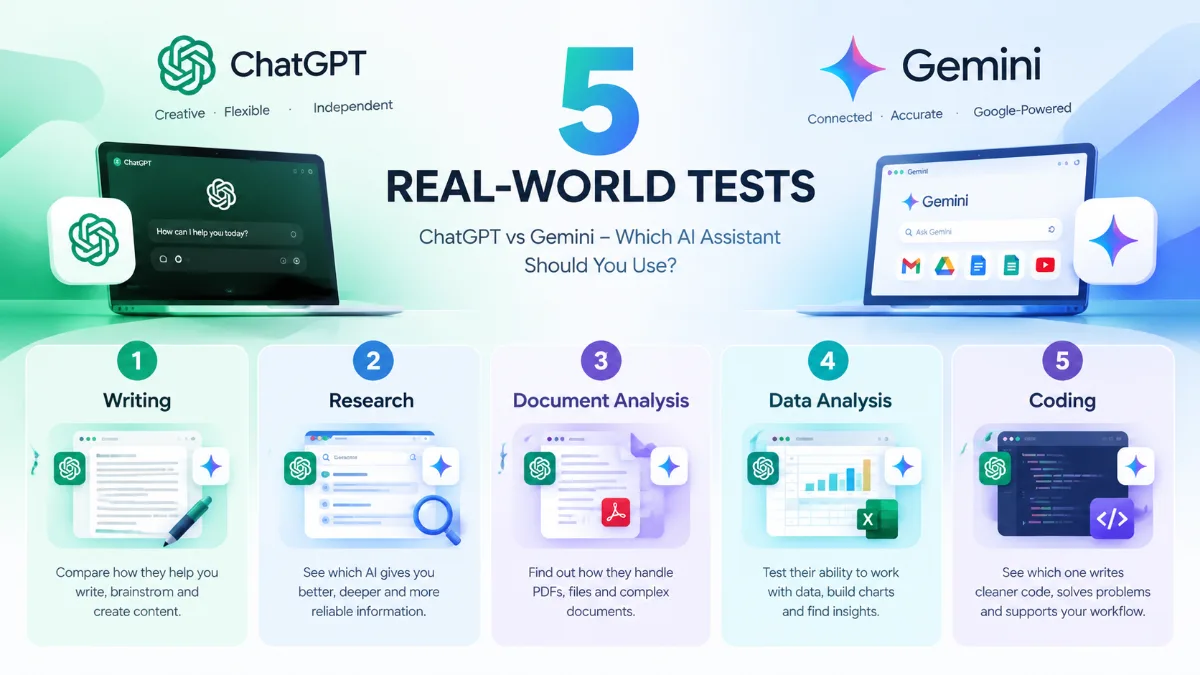
ChatGPT vs Gemini are two of the most widely used general-purpose AI assistants in 2026. Both can answer questions, write and rewrite content, analyze files, research topics, help with learning, generate images, and support everyday work.
The bigger question is not simply which AI is better. It is which one fits the way you actually work.
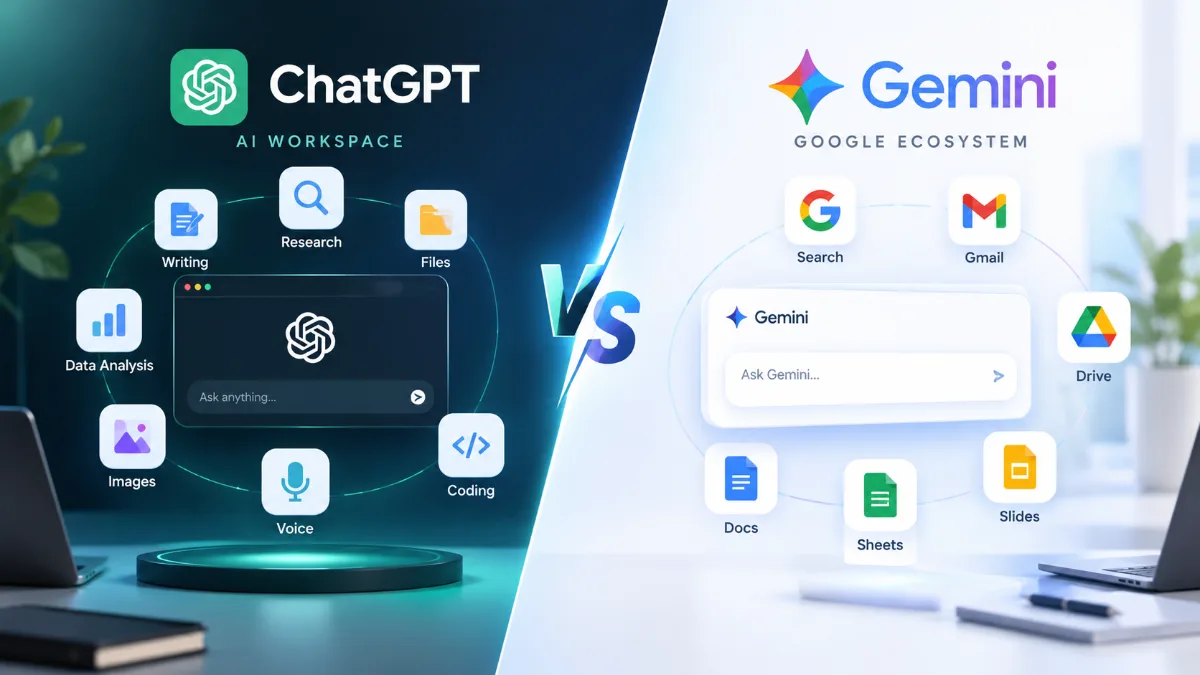
ChatGPT has developed into a broad AI workspace that combines conversation, writing, research, file analysis, data analysis, image capabilities, voice, and coding tools. Its Search and Deep Research features can also help with current information and multi-step research tasks.
Gemini takes a different approach, with a particularly strong connection to Google’s ecosystem. Depending on your account and setup, Gemini can work with services such as Google Search, Gmail, Drive, Docs, Sheets, and Slides. Its Deep Research feature can also use Google Search and, where supported, connected Google sources and uploaded files.
So, ChatGPT vs Gemini is really a comparison of two increasingly broad AI ecosystems.
Quick Answer: ChatGPT or Gemini?
If you want a versatile AI assistant for writing, brainstorming, research, coding, file analysis, and general-purpose work, ChatGPT is worth considering.
If you already rely heavily on Google services such as Gmail, Drive, Docs, Sheets, and Search, Gemini may fit naturally into your existing workflow.
That does not mean one tool is universally better. Your choice can change depending on whether you are a student, teacher, content creator, developer, researcher, or office worker.
For many people, using both can also make sense.
ChatGPT vs Gemini: Quick Comparison
| Category | ChatGPT | Gemini |
|---|---|---|
| Everyday questions | Strong | Strong |
| Writing and rewriting | Strong | Strong |
| Research | Search + Deep Research | Search + Deep Research |
| Learning | Strong | Strong |
| File analysis | PDFs, documents, spreadsheets and more | Files plus Google ecosystem integration |
| Data analysis | Strong | Strong |
| Image generation | Available | Available |
| Coding | Strong | Strong |
| Google Workspace | Available through integrations/features depending on setup | Major ecosystem advantage |
| Voice interaction | Available | Available |
| Long documents | Depends on model and plan | Depends on model and plan |
| Best fit | Broad AI workspace | Google-centered workflows |
Features and availability can vary by model, plan, region, account type, and product version, so this table should be treated as a practical overview rather than a permanent specification sheet.
What Is the Difference Between ChatGPT and Gemini?
At a high level, both products are moving toward the same goal: becoming general-purpose AI assistants that can handle more than simple chat.
The main difference is often where the AI fits into your workflow.
ChatGPT is designed as a broad AI environment. You can use it for writing, studying, brainstorming, research, coding, image analysis, file analysis, data analysis, and other tasks within the same conversational environment. OpenAI’s current documentation lists web search, deep research, image input and generation, file uploads, data analysis, voice, and other tools among ChatGPT’s capabilities.
Gemini is especially interesting for people who already spend much of their day inside Google’s ecosystem. Gemini’s Deep Research can use Google Search by default and can incorporate sources such as Gmail, Drive, uploaded files, and NotebookLM where supported. Google also offers Gemini features within parts of Google Workspace, although availability varies by account and product.
1. ChatGPT vs Gemini for Everyday Questions
For everyday questions, both assistants can handle a wide range of tasks.
You can ask either one to:
- Explain a difficult concept
- Summarize an article
- Brainstorm ideas
- Rewrite a message
- Translate text
- Plan a trip
- Create a checklist
- Help with calculations
- Explain a technical topic
- Generate ideas for a project
ChatGPT’s strength here is the breadth of its conversational workflow. You can start with a simple question and gradually turn the conversation into a writing, research, planning, or analysis task.
Gemini can be particularly convenient when your question naturally connects to information already living inside Google’s ecosystem.
For basic everyday questions, the difference may be less important than which interface and ecosystem you already use.
2. ChatGPT vs Gemini for Writing
Both tools can help with writing, but the quality of the result depends heavily on the prompt, context, and editing process.
ChatGPT for Writing
ChatGPT can help with:
- Blog posts
- Emails
- Reports
- Social media posts
- Product descriptions
- Academic writing
- Rewriting and editing
- Brainstorming
- Outlining
- Translation
It is also useful when you want to work through several revisions in the same conversation.
For example, you can ask it to:
Rewrite this article for a US audience, make the tone more natural, remove repetitive phrases, and keep the Markdown structure.
You can then continue refining the same draft.
Gemini for Writing
Gemini is also capable of drafting, rewriting, summarizing, and brainstorming.
Its biggest practical advantage can appear when writing is closely connected to your Google workflow. Depending on your setup, Gemini can work with Google Workspace content and sources, which can reduce the need to move information manually between applications.
For writers, the important question is not just output quality. It is how easily the AI fits into your existing content workflow.
3. ChatGPT vs Gemini for Research
Research is one of the areas where both platforms have expanded significantly.
ChatGPT Research
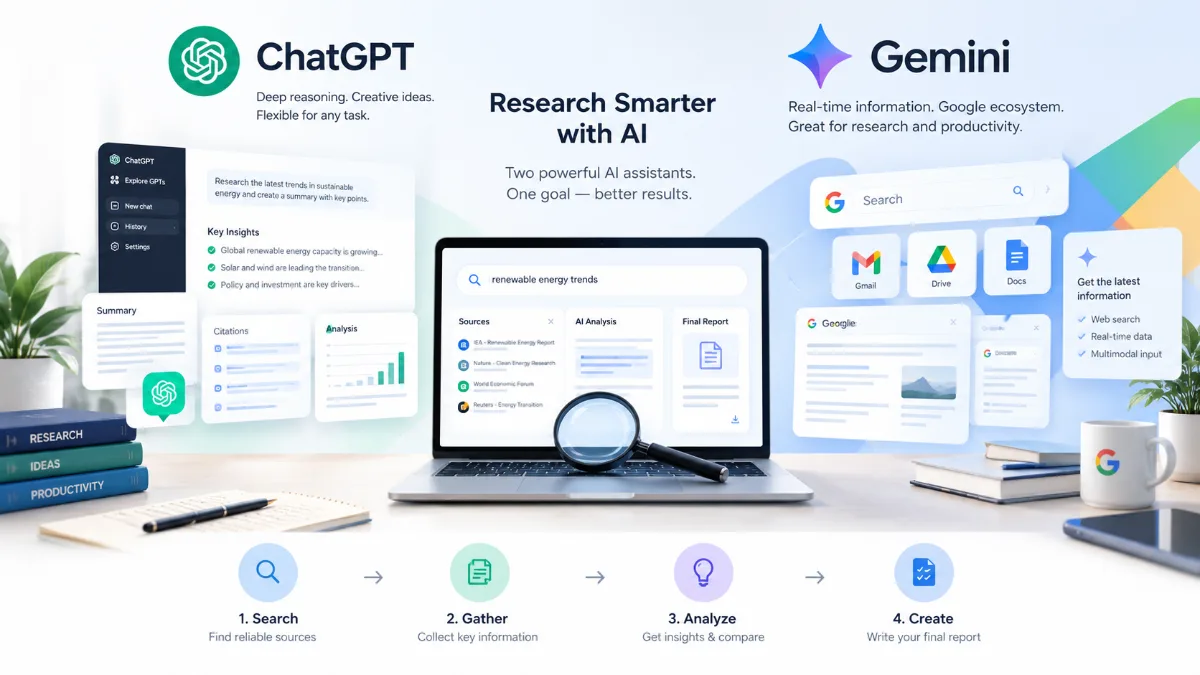
ChatGPT offers both Search and Deep Research.
Search is useful when you need recent information or a quick answer from the web. Deep Research is designed for more complex questions that require multiple steps, source evaluation, synthesis, and a structured report with citations.
For example:
Compare the latest AI coding assistants, identify their major differences, and provide sources for each important claim.
This type of task goes beyond a simple question-and-answer interaction.
Gemini Research
Gemini also offers Deep Research for more extensive investigations.
Google says Gemini Deep Research uses Google Search as a source by default. Depending on your setup, you can also add Gmail, Drive, uploaded files, and NotebookLM as sources.
That can be useful when your research involves both public information and your own Google-based materials.
Which workflow makes more sense?
If your research is mostly web-based, both platforms can provide useful research workflows.
If your work depends heavily on Google Search plus Gmail, Drive, or other Google sources, Gemini’s ecosystem integration can be particularly relevant.
4. ChatGPT vs Gemini for Studying and Learning
Both assistants can act as personal study partners.
You can ask them to:
- Explain a concept in simple language
- Create practice questions
- Check your answers
- Generate flashcards
- Summarize lecture notes
- Explain difficult vocabulary
- Create study plans
- Give step-by-step explanations
ChatGPT is particularly useful when you want a conversational tutor that gradually adapts explanations to your follow-up questions.
Gemini can provide a similar learning experience, especially if your study materials are already stored in Google’s ecosystem.
For students and teachers, the quality of the prompt and the learning process often matter as much as the choice of AI assistant.
Instead of asking:
Explain this chapter.
Try:
Teach me this chapter step by step. Start with the basic concept, then give me three questions. Don’t show the answers until I attempt them.
That approach encourages active learning rather than simply copying an AI-generated summary.
5. ChatGPT vs Gemini for Work and Productivity
AI assistants are increasingly being used for everyday office tasks.
Common examples include:
- Writing emails
- Summarizing meetings
- Preparing reports
- Creating presentations
- Analyzing spreadsheets
- Organizing ideas
- Preparing project plans
- Extracting information from documents
- Creating checklists
- Drafting business documents
ChatGPT can act as a general-purpose workspace for many of these tasks.
Gemini becomes particularly relevant when your workflow already revolves around Google Workspace. Google’s documentation describes Deep Research availability across supported Workspace environments including Chat, Docs, Drive, Gmail, Sheets, and Slides, although availability depends on the account and application.
A simple rule
If your work happens primarily inside Google Workspace, Gemini deserves serious consideration.
If your work involves a broader mix of writing, analysis, coding, research, files, and AI tools, ChatGPT may fit more naturally into that workflow.
6. ChatGPT vs Gemini for PDFs, Documents, and Data
Working with files has become one of the most practical uses of AI.
ChatGPT supports file uploads for tasks such as summarizing PDFs, extracting information, editing documents, and analyzing spreadsheets. OpenAI also documents support for structured data analysis, including creating tables and charts from uploaded data.
For example, you could upload a spreadsheet and ask:
Find the three biggest changes from last month and create a simple summary table.
Or upload a PDF and ask:
Extract the key findings, methodology, limitations, and conclusions from this paper.
Gemini can also work with uploaded files and connected Google sources. Its integration with Drive can be particularly useful when your documents already live there.
What should you consider?
Ask yourself where your files normally live.
- Mostly local files and mixed formats → compare the file workflows directly.
- Mostly Google Drive → Gemini may offer a more natural workflow.
- Spreadsheets and data analysis → test both with your actual dataset.
- Academic PDFs → test both using the same papers and prompts.
7. ChatGPT vs Gemini for Image Generation and Visual Tasks
Modern AI assistants are no longer limited to text.
ChatGPT supports image input and image generation, allowing users to analyze images, screenshots, diagrams, and charts and to create or modify visual content.
This can be useful for:
- Blog illustrations
- Marketing concepts
- Social media graphics
- Diagrams
- Presentation ideas
- Visual explanations
- Image editing
Gemini also supports visual tasks and can incorporate visual outputs into certain Deep Research workflows. Google notes that some Deep Research reports can include charts, diagrams, schematics, and interactive visualizations on eligible plans.
If image generation matters to you, don’t rely only on feature lists. Try the same prompts in both tools and compare:
- Instruction following
- Text rendering
- Visual consistency
- Editing
- Style control
- Speed
- Available usage limits
8. ChatGPT vs Gemini for Coding
Both ChatGPT and Gemini can help developers write and understand code.
Typical tasks include:
- Writing functions
- Debugging
- Explaining code
- Refactoring
- Writing tests
- Reviewing code
- Generating SQL
- Working with APIs
- Understanding error messages
ChatGPT is particularly useful for developers who want to move between coding, debugging, explanation, documentation, and broader reasoning in the same workflow.
Gemini can also be useful for coding, particularly for developers already working inside Google’s broader developer ecosystem.
For serious development work, however, a generic comparison is not enough. IDE integration, repository size, tool use, agentic workflows, context handling, and the ability to test and validate code can make a major difference.
If coding is your primary concern, see our deeper comparison:
ChatGPT vs Claude Sonnet 5 for Coding: 2026 Comparison
9. ChatGPT vs Gemini and the Google Ecosystem
This is one of the clearest areas where the two products have different practical contexts.
Gemini is closely connected to Google’s ecosystem. Depending on your account and available features, it can work with services such as Gmail, Drive, Docs, Sheets, Slides, and Google Search.
Imagine this workflow:
Search for information → check Gmail → review a Drive document → summarize the findings → continue working in Google Docs.
When your work already lives in Google services, reducing the amount of copying and pasting can be valuable.
ChatGPT takes a broader approach, with its own set of AI tools for conversation, research, files, data analysis, images, voice, and other workflows.
The important distinction is therefore less about a simple feature checklist and more about where your information and work already live.
10. ChatGPT vs Gemini for Voice Conversations
Voice interaction is becoming a more natural way to use AI assistants.
You can use voice conversations for:
- Language practice
- Brainstorming
- Asking quick questions
- Learning
- Explaining ideas
- Hands-free interaction
ChatGPT supports voice conversations across supported platforms.
Gemini also supports conversational interactions through Google’s AI ecosystem.
For language learners, this is an area where your own experience matters. Try the same conversation with both assistants and compare:
- Naturalness
- Response speed
- Understanding of your accent
- Follow-up questions
- Ability to maintain context
- Helpfulness of corrections
11. ChatGPT vs Gemini for Long Documents and Context
Long-context performance is often discussed in AI comparisons, but raw context-window numbers can be misleading.
A larger theoretical context window does not automatically mean better results.
What matters in practice is whether the AI can:
- Find the relevant information
- Maintain important details
- Follow instructions
- Connect information from different parts of a document
- Avoid hallucinating
- Produce a useful final answer
Context limits and capabilities can also vary by model, plan, and product version.
For that reason, if you regularly work with long PDFs, research papers, books, or large codebases, test both tools using your actual documents.
12. ChatGPT vs Gemini: Pricing and Free Access
Pricing and usage limits change frequently, so this is one section you should check before making a purchase decision.
Both ChatGPT and Gemini offer ways to use their services without necessarily committing to a paid subscription, while paid plans can provide access to additional models, features, higher limits, or expanded capabilities.
Instead of looking only at the monthly price, consider:
- Which models you can access
- Message and usage limits
- Deep Research availability
- File limits
- Image generation limits
- Data analysis capabilities
- Workspace integrations
- Coding features
- Priority access
- Regional availability
A plan that looks cheaper on paper may not be cheaper for your actual workflow.
13. A Simple Hands-On Test: ChatGPT vs Gemini
If you want a more meaningful comparison, run the same five tasks through both assistants.
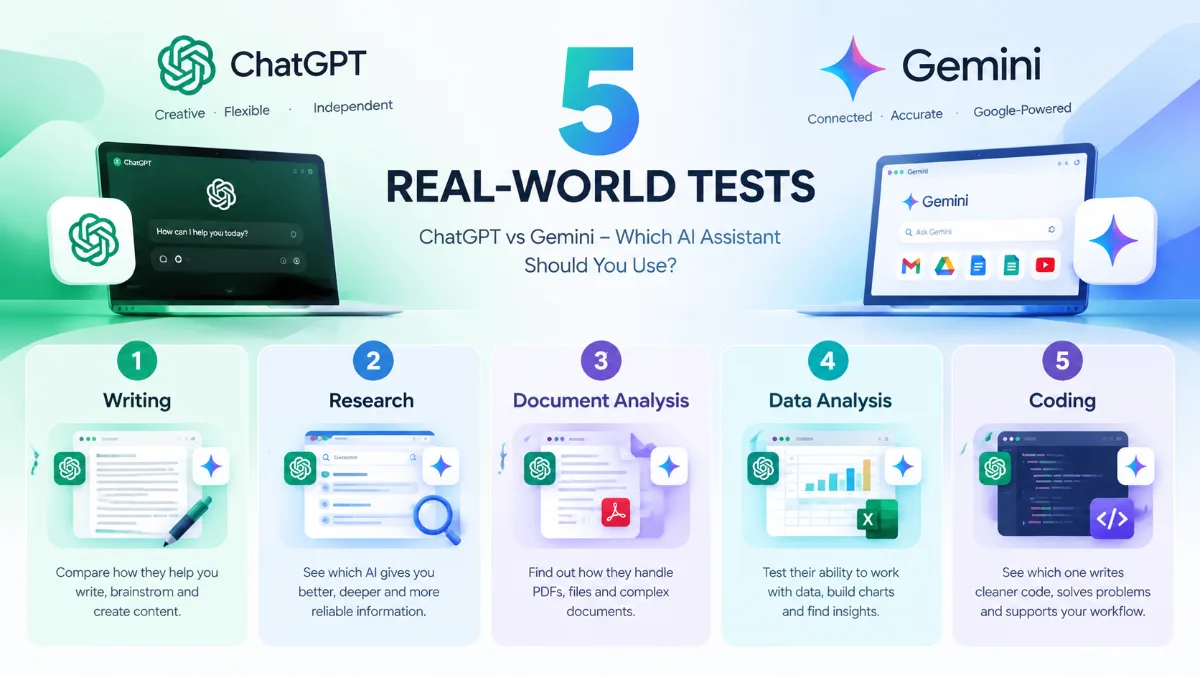
Don’t change the prompt between tests.
Test 1: Writing
Write a 700-word article explaining how AI is changing education. Use a natural, conversational tone and avoid generic AI phrases.
Compare:
- Structure
- Naturalness
- Accuracy
- Repetition
- Editing required
Test 2: Research
Research the latest developments in AI assistants in 2026. Identify five important developments and provide reliable sources.
Compare:
- Source quality
- Freshness
- Citations
- Accuracy
- Depth
Test 3: Document Analysis
Upload the same PDF to both tools.
Ask:
Summarize this document in 10 bullet points, then identify its three most important limitations.
Compare:
- Accuracy
- Relevant details
- Missing information
- Hallucinations
Test 4: Data Analysis
Upload the same spreadsheet.
Ask:
Analyze this dataset, identify the most important trends, and create a clear summary for a non-technical manager.
Compare:
- Data interpretation
- Calculations
- Charts
- Explanation
Test 5: Coding
Give both tools the same programming problem.
Ask each assistant to:
- Explain the approach.
- Write the code.
- Identify possible edge cases.
- Create tests.
- Review the final solution.
This gives you something more useful than a generic feature comparison: evidence from your own workflow.
14. ChatGPT: Strengths and Limitations
Potential strengths
- Broad range of AI-assisted tasks
- Strong conversational workflow
- Writing and rewriting
- Research and Deep Research
- File and data analysis
- Image understanding and generation
- Coding support
- Voice interaction
- Multiple tools within one AI environment
OpenAI’s current documentation describes ChatGPT as supporting questions, writing, reasoning, translation, web search, deep research, image capabilities, file uploads, data analysis, and voice, with availability varying by plan and settings.
Things to consider
- Some advanced capabilities depend on the plan.
- Limits can vary.
- Model behavior can change as products are updated.
- Results still need fact-checking for important decisions.
- A strong general-purpose assistant may not always be the most convenient option for a highly specialized workflow.
15. Gemini: Strengths and Limitations
Potential strengths
- Strong connection to Google’s ecosystem
- Google Search integration
- Deep Research
- Gmail and Drive connections where supported
- Google Workspace workflows
- File and document analysis
- Multimodal capabilities
- Coding and general-purpose assistance
Google’s current documentation says Gemini Deep Research can use Google Search by default and can incorporate sources such as Gmail, Drive, uploaded files, and NotebookLM where supported.
Things to consider
- Feature availability varies by account, plan, region, and Google product.
- Some Workspace capabilities require specific account configurations.
- Limits and model availability can change.
- The strongest benefits may be less noticeable if you rarely use Google’s ecosystem.
16. Who Should Consider ChatGPT?
ChatGPT may be worth considering if you:
- Write frequently
- Create online content
- Research different topics
- Analyze documents
- Work with spreadsheets
- Code regularly
- Want a broad AI workspace
- Use AI for brainstorming and planning
- Need a conversational study assistant
- Want to combine several AI tasks in one workflow
For many users, the main appeal is simply having a wide range of capabilities available from one conversational interface.
17. Who Should Consider Gemini?
Gemini may be particularly relevant if you:
- Use Gmail every day
- Store most documents in Google Drive
- Work heavily with Google Docs
- Use Google Sheets
- Depend on Google Search
- Already use Google Workspace
- Want AI assistance close to your existing Google workflow
The more your daily work is tied to Google services, the more important these integrations can become.
18. Should You Use Both ChatGPT and Gemini?
You don’t necessarily have to choose one.
Some users may find value in using both assistants for different tasks.
For example:
ChatGPT
→ brainstorming
→ writing
→ coding
→ data analysis
→ general research
Gemini
→ Google Search
→ Gmail
→ Drive
→ Docs
→ Google Workspace workflows
You can also compare the answers when accuracy matters.
For an important report, for example, you could ask both tools to analyze the same source and then verify the key claims against the original document.
The goal isn’t to use more AI simply because you can. The goal is to build a workflow that saves time while keeping you in control of the final result.
19. ChatGPT vs Gemini for Job Search and Career Prep
Both assistants are useful for job hunting, but they shine at different steps. In our view, ChatGPT is slightly better at the writing-heavy parts of a job search, while Gemini is handy when your documents already live in Google Drive and Gmail.
| Career task | Better pick | Why |
|---|---|---|
| Tailoring a resume to a job ad | ChatGPT | Strong at rewriting bullets with results and keywords |
| Cover letters | ChatGPT | Natural tone, easy to adjust length and style |
| Company and salary research | Gemini | Grounded in Google Search, quick summaries |
| Mock interviews by voice | Tie | ChatGPT voice mode and Gemini Live both work well |
| Organizing applications | Gemini | Works with Gmail, Docs and Sheets |
A simple workflow that uses both
- Paste the job description into Gemini and ask: “Summarize this company, its products and recent news in 10 bullet points. Add 5 smart questions I could ask in the interview.”
- Move to ChatGPT with your resume and the job ad: “Rewrite my experience bullets to match this job. Keep every fact true, start each bullet with a verb and add numbers where I gave them.”
- Draft the letter with ChatGPT, then ask either tool to cut it to 250 words.
- Practise out loud: “Act as the hiring manager for this role. Ask me one behavioral question at a time and give feedback on each answer.”
Never let either AI invent experience, degrees or numbers. For step-by-step prompts, see our guides on writing a resume with ChatGPT and writing a cover letter with ChatGPT.
20. Our Results: Same Prompts in ChatGPT and Gemini (October 2026)
To go beyond feature lists, we ran the same everyday prompts in the free versions of ChatGPT and Gemini on October 18, 2026, using one prompt per new chat and no custom instructions. Here is what each tool actually returned.
Test 1: Plan a 3-day trip
Prompt: “Plan a 3-day trip to Kyoto in November on a mid-range budget. Answer as a short table with columns Day, Morning, Afternoon, Evening.”
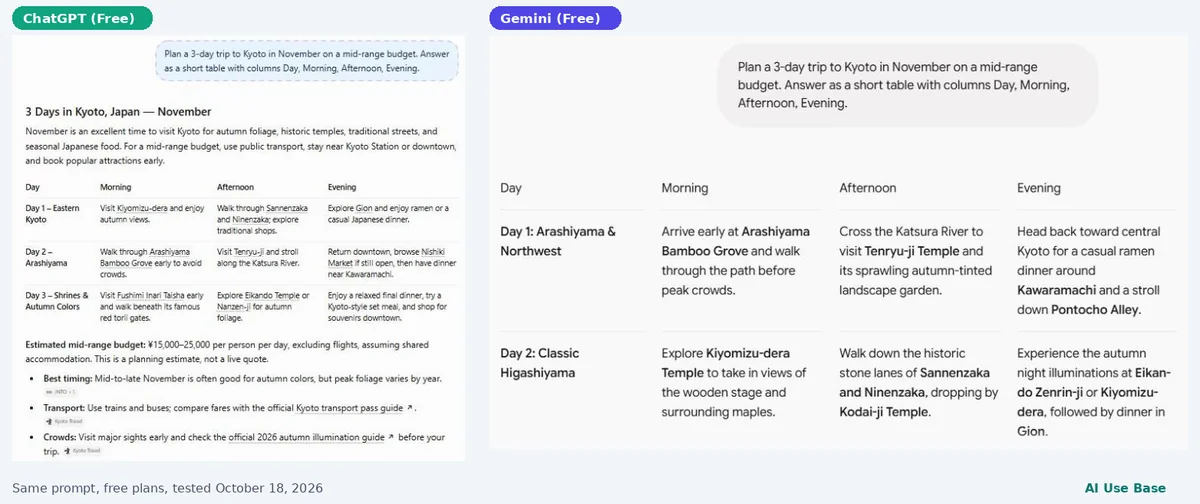
- Both followed the table format and picked sensible autumn sights such as Kiyomizu-dera, Arashiyama and Fushimi Inari.
- ChatGPT added a short intro, a daily budget estimate clearly labeled as a planning estimate, and links to official tourism sources.
- Gemini returned a clean table only. It did not give any cost figures, even though the prompt mentioned a mid-range budget.
Test 2: Write a short work email
Prompt: “Write a polite 80-word email asking my manager to move our weekly 1:1 meeting from Tuesday to Thursday this week because of a client call.”
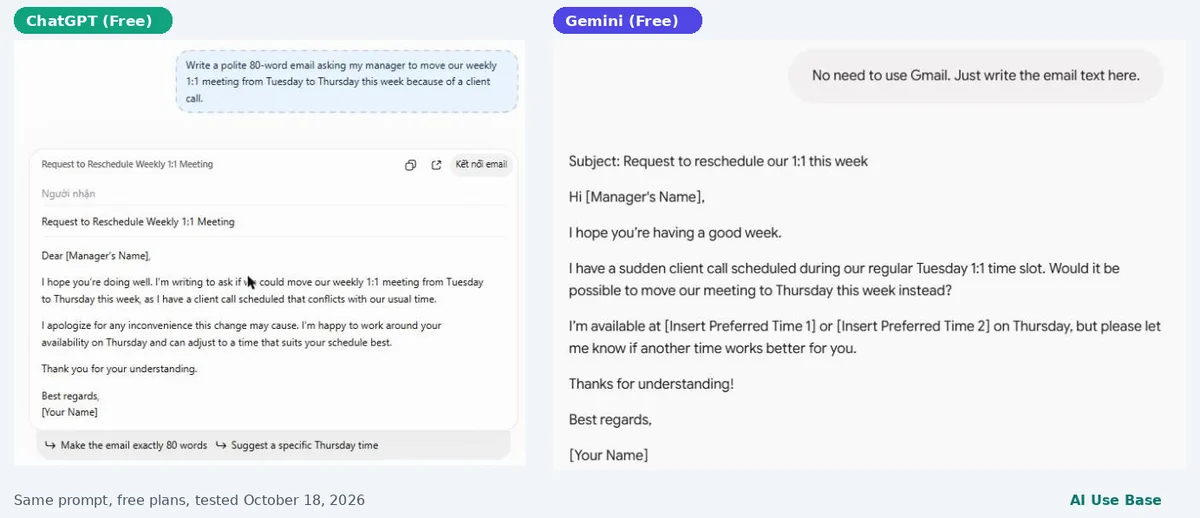
- ChatGPT wrote the email straight away in an email card. The body was 77 words, close to the 80 we asked for.
- Gemini first asked for permission to connect our Gmail. After we declined and asked for plain text, it produced a friendly draft with a subject line and placeholders for two suggested times.
What we learned
For quick answers in the chat window, ChatGPT was more direct and added more context. Gemini kept its answers tighter and leans toward working inside Google apps, which is useful if you want drafts sent from Gmail, but adds a step if you do not. One practical note: after several prompts on the free plan, ChatGPT paused file, image and data-analysis features until a reset later that day, while text chat kept working.
Your results will vary with wording and model updates, so treat this as a snapshot. For research-heavy tasks, also compare ChatGPT vs Perplexity.
ChatGPT vs Gemini: Frequently Asked Questions
Is ChatGPT better than Gemini?
There is no single answer that applies to every user. Both are broad AI assistants, and their practical usefulness depends on the task, account, available features, and the user’s workflow.
Is Gemini better than ChatGPT for Google users?
Gemini can be particularly relevant for people who rely heavily on Google Search, Gmail, Drive, Docs, Sheets, and other Google services because of its ecosystem integrations. Availability varies by account and product.
Is ChatGPT better for writing?
ChatGPT is a strong writing and editing tool, but writing quality depends on the prompt, context, model, and editing process. Gemini can also draft, rewrite, summarize, and refine content.
The best way to compare them for your needs is to give both the same writing task.
Can ChatGPT and Gemini analyze PDFs?
Yes. Both platforms support working with files, although exact limits and capabilities vary by product and plan.
ChatGPT supports PDF and document analysis, while Gemini can work with uploaded files and connected Google sources in supported configurations.
Can ChatGPT and Gemini help with coding?
Yes. Both can generate, explain, debug, and review code.
For professional development, however, it is worth testing them on real repositories and workflows rather than relying on generic coding benchmarks alone.
Can I use ChatGPT and Gemini for free?
Both offer ways to access their services without necessarily purchasing a premium subscription, but available models, limits, and features can change.
Always check the current plan details before subscribing.
Which is better for career and job preparation, ChatGPT or Gemini?
Both can help with resumes, cover letters and interview practice. ChatGPT tends to give more direct, detailed answers in the chat window, while Gemini is handy if you want drafts in Gmail or Google Docs. For step-by-step help, see our guides to writing a resume and a cover letter with ChatGPT.
Should I use ChatGPT or Gemini every day?
Choose ChatGPT if you mainly chat, write and analyze files in one place. Choose Gemini if you live in Gmail, Docs and Drive and want the AI inside those apps. Both have free plans, so try the same real task in each before paying.
Final Thoughts
The ChatGPT vs Gemini comparison is becoming less about which AI can answer a simple question better and more about how each assistant fits into your digital life.
ChatGPT offers a broad AI workspace covering conversation, writing, research, files, data analysis, images, voice, and coding.
Gemini offers a broad AI experience too, with a particularly strong connection to Google’s ecosystem. Its Deep Research workflow can combine Google Search with other supported sources such as Gmail, Drive, uploaded files, and NotebookLM.
If you’re still unsure, don’t choose based only on a feature list.
Give both tools the same five real-world tasks you actually do every week.
The results will tell you much more about which AI assistant fits your workflow.
Last updated: September 22, 2026
Related guides: you may also like our guides to Claude vs Gemini and ChatGPT vs Perplexity.