To use ChatGPT to write a resume, give it the job posting plus all your raw experience, then ask it to rewrite each section using the formula “strong verb + what you did + measurable result”. ChatGPT will not design a beautiful resume for you, but it will give you sharp, tailored content in about 10 minutes. Then paste that content into a clean template in Word, Google Docs or Canva.
Last updated: September 27, 2026.
This guide covers a 5-step process, 5 prompts for each part of your resume, and the mistakes that get resumes filtered out by applicant tracking systems (ATS).
What ChatGPT Can and Cannot Do for Your Resume
| Task | ChatGPT does well | You still need to |
|---|---|---|
| Content | Rewrite experience into clear, quantified bullets | Supply real numbers |
| Tailoring | Spot missing keywords, reorder priorities | Decide what to keep or cut |
| Summary | Draft 2-3 short versions | Pick the one that sounds like you |
| Translation | Translate naturally with correct terms | Check names and job titles |
| Design | Suggest a layout | Use a Word, Docs or Canva template |
How to Write a Resume with ChatGPT in 5 Steps
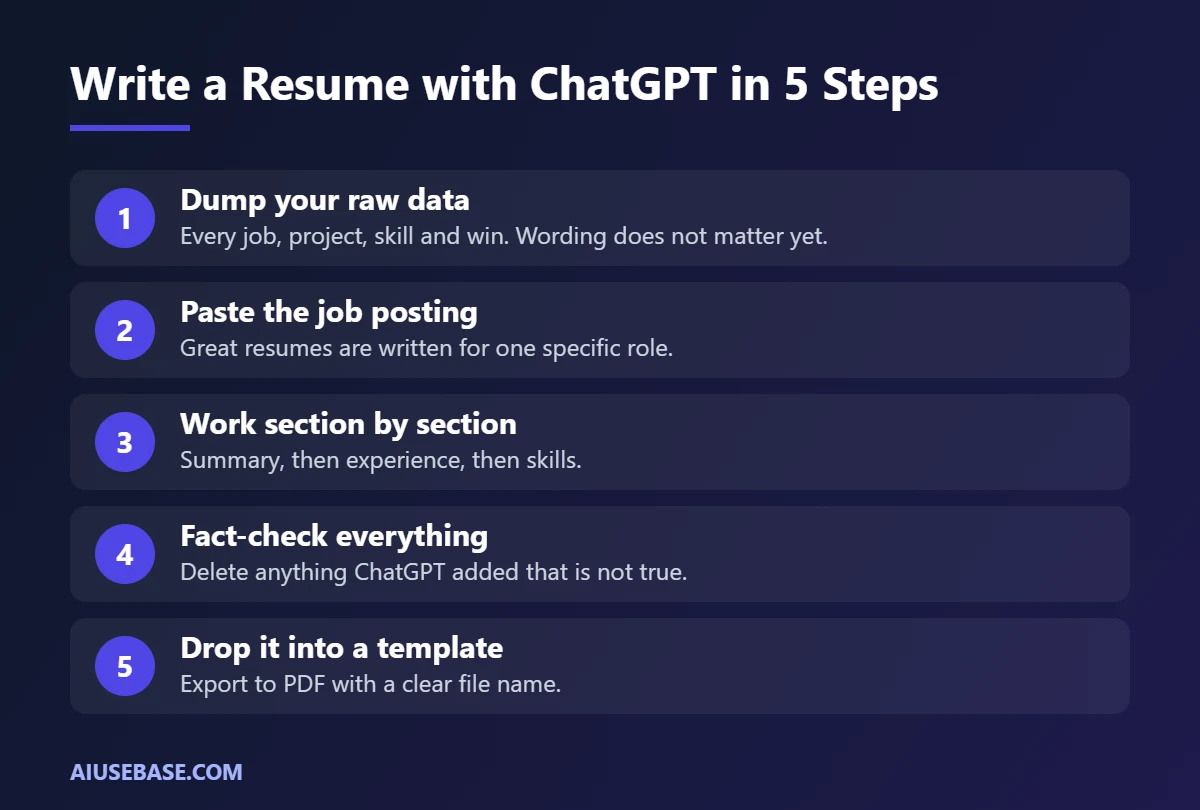
- Dump your raw data. List every job, project, skill, certification and win. Do not worry about wording. If you have an old resume, upload it.
- Paste the job posting. Great resumes are written for a specific role. The full description tells ChatGPT what to emphasize.
- Work section by section. Ask for your summary, then your experience, then your skills. It is easier to control than asking for the whole resume at once.
- Fact-check everything. Delete any achievement, number or skill ChatGPT added that you do not actually have.
- Drop it into a template. Paste the content into a simple template, export to PDF, and name the file “FirstName-LastName-Role-Resume.pdf”.
5 ChatGPT Prompts for Your Resume
1. Rewrite Your Work Experience
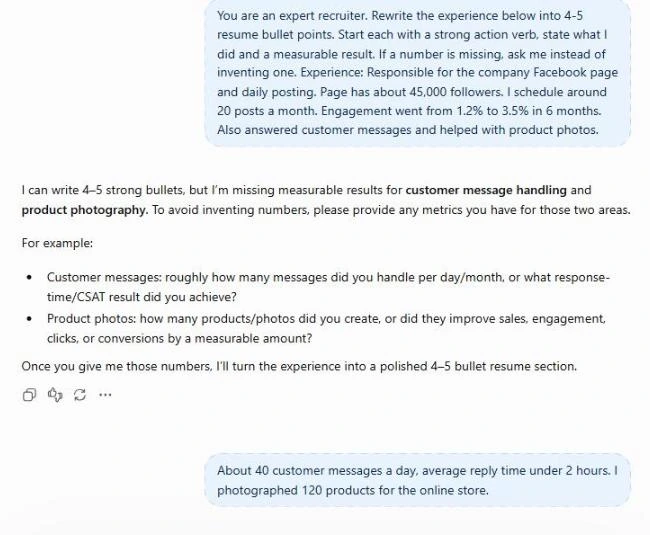
You are an expert recruiter. Rewrite the experience below into 4-5 resume bullet points. Start each with a strong action verb, state what I did and a measurable result. If a number is missing, ask me instead of inventing one.
Experience: [paste here]
2. Write a Professional Summary
Write 3 versions of a professional summary for a [role] resume at a [type of company], each under 50 words. I have [years] years of experience in [field], and my strengths are [strengths]. Avoid clichés like “results-driven” and “team player”.
3. Tailor Your Resume to a Job Posting
Compare my resume with the job posting below. List: (1) important keywords and skills in the posting that my resume is missing, (2) lines in my resume that should move to the top, (3) lines I should cut because they are irrelevant. Format as a table.
Job posting: [paste]
Resume: [paste or upload]
4. Resume for Students with No Experience
I am a final-year [field] student. From these activities: [projects, internships, clubs, part-time jobs], write a “Projects and Activities” section for a resume targeting a [role] position, highlighting relevant skills. 2-3 bullets per activity.
5. Final ATS and Proofreading Check
Review my resume for ATS compatibility and errors. Flag: inconsistent tenses, missing dates, formatting that ATS may not read (tables, text boxes, headers), and any bullet without a measurable result. Suggest fixes in a table.
Before and After: A Real Difference
A typical task-based bullet:
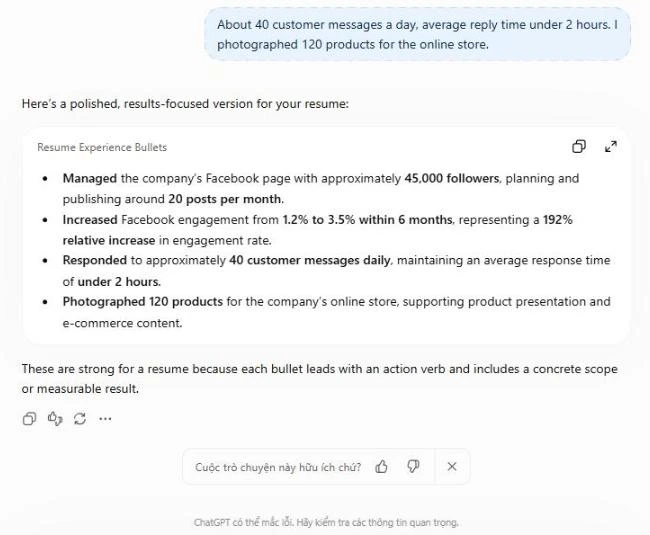
Responsible for the company Facebook page and daily posting.
After prompt 1 and adding real figures, it becomes:
Managed a 45,000-follower Facebook page, scheduling 20 posts per month and lifting average engagement from 1.2% to 3.5% in 6 months.
The difference is the verb, the scale and the result, which is exactly what recruiters scan for in the few seconds they spend on a resume.
Mistakes to Avoid When Using ChatGPT for Your Resume
- Letting ChatGPT invent achievements. Interviewers will ask about them. Always add “if a number is missing, ask me”.
- Keyword stuffing. ATS needs keywords, but humans need natural sentences.
- Using one resume for every job. Running prompt 3 for each posting takes 5 minutes and is worth it.
- Pasting sensitive personal data. Remove your home address and ID numbers before pasting.
- Rambling. With under 5 years of experience, one page is enough.
Once your resume is ready, use ChatGPT to write a matching cover letter.
Frequently Asked Questions
Can ChatGPT create a finished resume file?
ChatGPT can generate a simple Word or PDF file, but the design is usually plainer than a good template. The fastest route is to write the content in ChatGPT and paste it into a template.
Will recruiters know I used ChatGPT?
If your resume is full of generic phrases, they may. When every line has specific work and real numbers, how you drafted it does not matter. What matters is that you can explain every line in an interview.
Is the free version of ChatGPT enough?
Yes. The free plan is enough to write a resume. Paid plans help if you upload many files or analyze lots of job postings.
Should I include a resume summary?
Yes, a 2-3 sentence summary at the top that says who you are, what you are strong at and what you want to do. Tailor it to each role.
Does this work in Gemini or Claude?
Yes. All prompts work in Gemini and Claude. Use the assistant you are most comfortable with.
Final Thoughts
Using ChatGPT to write a resume turns a dry list of duties into clear achievements in minutes. Give it real numbers, tailor your resume to each posting, and read every line before you apply. Good luck landing that interview!
Looking for more step-by-step tutorials? Browse our AI Guides.
2 thoughts on “How to Use ChatGPT to Write a Resume in 10 Minutes (+5 Prompts)”