The easiest AI PDF reader is the assistant you already use: upload a PDF to ChatGPT, Gemini or Claude (all have free plans) and ask something like “summarize this document in 5 key points”. If you work with many documents at once and want every answer cited to the exact passage, use Gemini Notebook (the new name for NotebookLM). All four handle long reports, contracts and even many scanned PDFs, in English and dozens of other languages.
Last updated: September 27, 2026.
AI PDF Readers Compared
| Tool | Free? | Strengths | Best for |
|---|---|---|---|
| ChatGPT | Yes, with upload limits | All-rounder, analyzes tables and data | Summaries, Q&A, turning content into tables |
| Gemini | Yes | Connects to Google Drive and Gmail | Google Workspace users |
| Claude | Yes | Careful reading of long documents, clear rewriting | Contracts, long reports, academic papers |
| Gemini Notebook (NotebookLM) | Yes, 50 sources per notebook | Cited answers, audio overviews, study tools | Research and studying across many files |
| Copilot in Microsoft Edge | Yes | Reads the PDF open in your browser | Quick questions while reading |
How to Use ChatGPT, Gemini or Claude as a PDF Reader
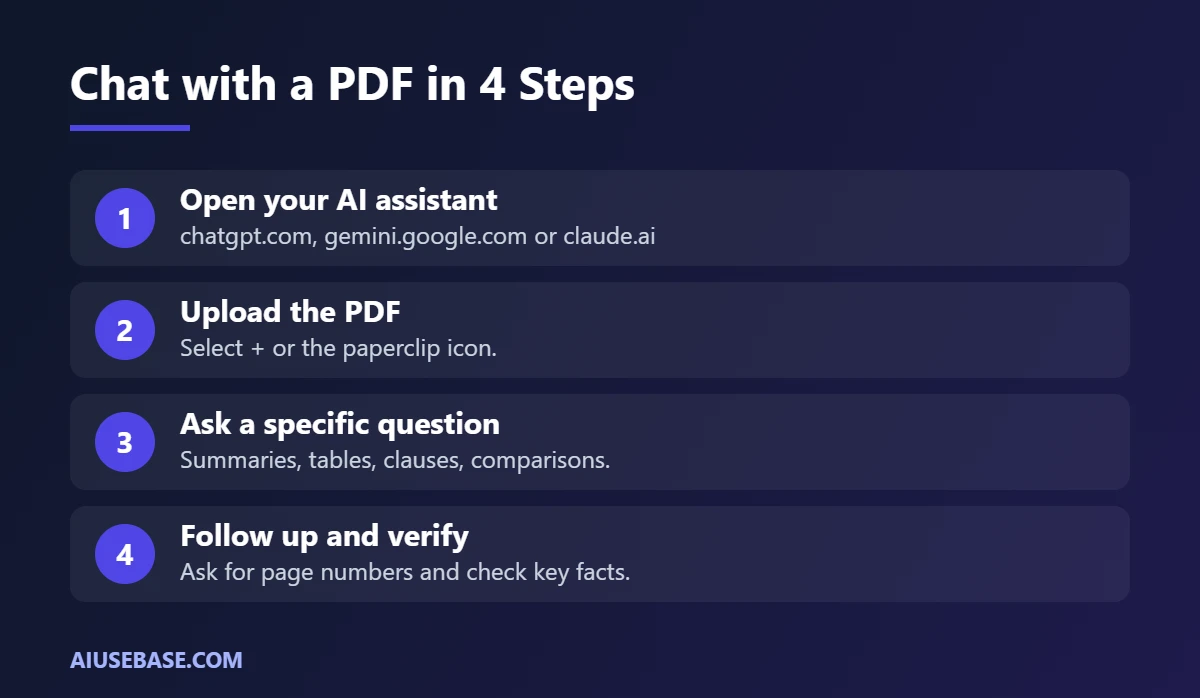
The steps are the same in all three:
- Open chatgpt.com, gemini.google.com or claude.ai and sign in.
- Select + (or the paperclip icon) and upload your PDF.
- Type a specific request, such as the prompts below.
- Follow up to go deeper: “explain section 3 in detail” or “which page is this figure on?”.
New to these assistants? See how to use ChatGPT and how to use Gemini.
How to Use Gemini Notebook (NotebookLM) for Many Documents
In July 2026, Google renamed NotebookLM to Gemini Notebook. Features and limits stayed the same.
- Create a notebook for each topic, for example “Q3 Market Research”.
- Add sources: PDFs, Google Docs, websites or YouTube videos. The free plan allows up to 50 sources per notebook, each up to 500,000 words or 200 MB.
- Ask questions. Each answer includes citation numbers that jump to the exact passage in your source.
- Use the built-in tools: summaries, study questions, flashcards and audio overviews.
Password-protected or copy-protected PDFs cannot be imported.
6 Prompts for Reading PDFs with AI
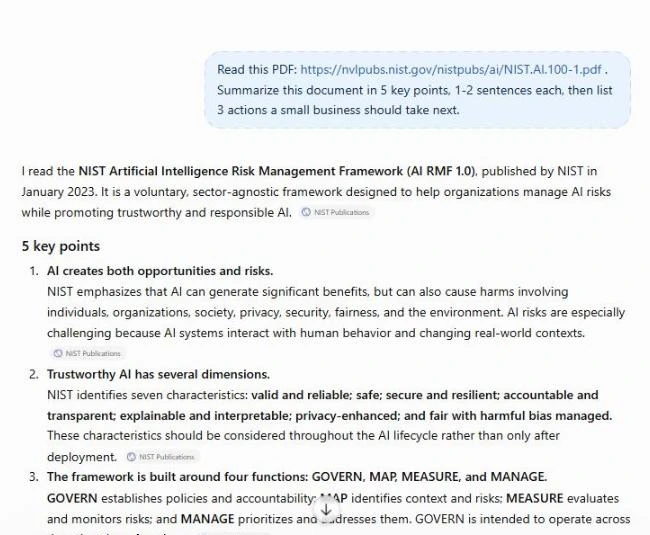
Summarize this document in 5 key points, 1-2 sentences each, then list 3 actions I should take next.
Extract every important figure in this report into a table with: metric, value, reporting period, page.
This is a lease agreement. List the clauses about deposit, term, penalties and anything unfavorable to the tenant. Cite the clause numbers.
Explain chapter 2 of this textbook to a first-year student with everyday examples, then give me 5 multiple-choice questions to test myself.
Compare the two attached PDFs (quotes from two suppliers) on price, delivery time and warranty. Present a table and recommend one.
Translate this document into [language], keeping technical terms in the original language in parentheses.
Reading Scanned PDFs with AI
Scanned PDFs have no text layer, so the AI has to “look” at each page. ChatGPT, Gemini and Claude can all read images, but results depend on scan quality.
- Use sharp, straight, high-resolution scans for more accurate text recognition.
- Split very long files into 20-30 page parts if answers come back incomplete.
- Double-check names and numbers, which is where AI misreads most often.
Privacy Tips for AI PDF Readers
- Do not upload confidential contracts, HR files or customer data to a personal AI account. Ask IT whether your company has a business plan.
- Use Temporary Chat in ChatGPT, or turn off history, for sensitive documents.
- Always verify against the original before relying on results for important decisions, especially legal and financial ones.
Frequently Asked Questions
What is the best AI PDF reader?
ChatGPT, Gemini and Claude all read PDFs well. Claude is strong on long documents that need careful reading, Gemini is convenient when your files live in Google Drive, and Gemini Notebook is best when you need cited answers across many documents.
Is there a free AI PDF reader?
Yes. ChatGPT, Gemini, Claude, Gemini Notebook and Copilot in Edge all have free plans that read PDFs, with limits on file uploads or daily questions.
Can AI read scanned PDFs?
Yes, if the scan is clear. Today’s AI assistants read page images, but they can misread characters or numbers in blurry scans, so check important details.
How long a PDF can AI read?
It depends on the tool and plan. For very long documents (hundreds of pages), Gemini Notebook is a safe choice because each source can hold up to 500,000 words. With chat assistants, split the file if answers look incomplete.
Are NotebookLM and Gemini Notebook the same thing?
Yes. In July 2026 Google renamed NotebookLM to Gemini Notebook; the features and plans did not change.
Which AI can read PDFs?
ChatGPT, Gemini, Claude and Gemini Notebook (NotebookLM) can all read PDFs you upload, including on their free plans. Free plans limit file size and the number of uploads per day, so very long documents may need a paid plan or splitting into parts.
How do I get AI to read a PDF?
Open ChatGPT, Gemini or Claude, click the attach or plus button, upload the PDF and ask a specific question, for example: “Summarize this report in 5 bullet points and list every deadline.” For several PDFs on one topic, upload them to Gemini Notebook so every answer cites the source page.
What are the best free AI PDF readers and how do they compare?
For quick questions about one file, ChatGPT and Claude give the clearest summaries. Gemini works well if your PDFs are in Google Drive, and Gemini Notebook is best for studying several documents together because it cites its sources. See the comparison table at the top of this guide for limits and features.
Final Thoughts
An AI PDF reader lets you understand a long document in minutes instead of hours. Use ChatGPT, Gemini or Claude for single files, switch to Gemini Notebook for many documents, and always check key facts against the original. For more tools by use case, see the best AI tools.
Looking for more step-by-step tutorials? Browse our AI Guides.
Related guides: you may also like our guides to best AI research tools.
1 thought on “AI PDF Reader: 5 Best Free AI Tools to Read PDFs (2026)”