If you can only pick one for writing content, Claude usually produces more natural, coherent, less clichéd prose for long-form work such as blog posts, emails and in-depth articles, while ChatGPT is more versatile: faster for brainstorming and short captions, and it creates images in the same place. Many content creators use both: ChatGPT to brainstorm and make visuals, Claude to write and edit the final draft. Both have free plans, and their main paid plans cost the same $20 per month.
Last updated: September 27, 2026.
ChatGPT vs Claude for Writing: Comparison Table
| Criteria | ChatGPT | Claude |
|---|---|---|
| Writing tone | Good, can lean “salesy” with stock phrases | Natural, coherent, follows a sample voice closely |
| Long-form (blogs, SEO articles) | Good, needs clear instructions to stay focused | Very good, keeps structure and flow |
| Captions and short copy | Very good, fast, many ideas | Good |
| Brainstorming | Very good | Good |
| Following detailed instructions | Good | Very good |
| Image generation | Yes (ChatGPT Images) | No native image generation |
| Web search, deep research | Yes | Yes |
| Brand voice tools | Projects, memory, custom instructions | Projects, Styles, memory |
| Free plan | Yes | Yes |
| Popular plan | Go $8, Plus $20/month | Pro $20/month ($17 billed annually) |
| Top plan | Pro $100 or $200/month | Max from $100/month |
US list prices, checked September 2026. See ChatGPT pricing and Claude pricing for current rates.
Blog Posts and SEO Articles: Claude Has the Edge
For 1,000 to 2,000-word articles, Claude tends to keep a steady line of argument, transition naturally between sections and stick closely to your outline. It is also good at matching the voice of a sample you provide. ChatGPT writes quickly and covers the points, but it slips into familiar phrases such as “in today’s fast-paced world” unless you tell it not to.
Prompt to test both:
You are a tech blog editor. Using the outline below, write a 1,200-word article for beginners in a friendly tone. Answer the main question in the first 2 sentences. Do not use phrases like “in today’s digital age” or “let’s dive in”. Include at least one concrete example in every section.
Outline: [paste here]
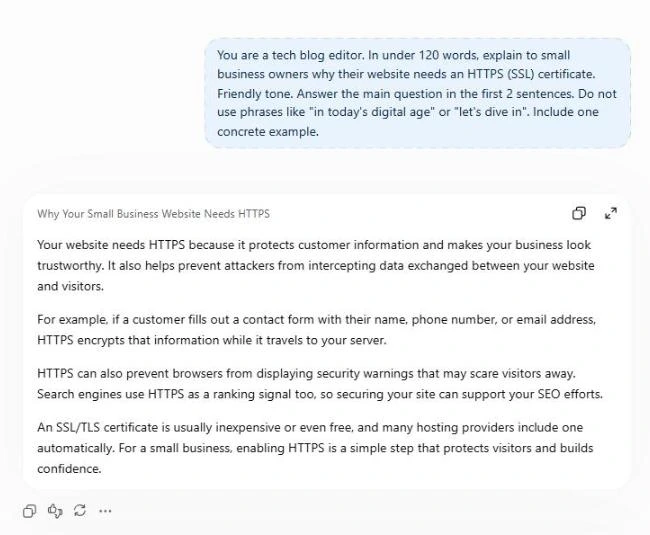
Captions and Short Ads: ChatGPT Is Faster with More Ideas
When you need 10 captions, 20 headlines or several ad variations to test, ChatGPT delivers quickly with varied angles. Claude does well too, but tends to be more polished than punchy. For ready-to-use prompts, see ChatGPT prompts for Facebook sales posts, which also work in Claude.
Editing and Rewriting: Try Claude
If you already have a draft and want it tighter, clearer and on-brand, Claude often makes subtler edits and explains its reasoning. Try:
Edit the article below: cut 20% of the length, remove filler, keep my key points and voice. Then list the 5 most important changes you made.
Images and Multimedia: ChatGPT Wins
ChatGPT creates and edits images right in the chat, so you can write a post and make its thumbnail in one place. Claude does not generate images natively, so you will need a tool like Canva or one of these free Midjourney alternatives.
Keeping Your Brand Voice
Both offer Projects to store brand guidelines, sample posts and standing instructions. Claude adds Styles: upload a few example pieces and Claude learns that voice for reuse. ChatGPT has custom instructions and memory to remember your preferences across chats.
A Simple Test to Pick the Right AI
- Choose the 3 writing tasks you do most (for example blog posts, captions, customer emails).
- Run the same prompt in the free versions of ChatGPT and Claude.
- Score each result on 3 criteria: how much editing it needs, whether it matches your brand voice, and whether it got anything wrong.
- Pick the winner for the task you do most, and only pay once you keep hitting limits.
Should You Choose ChatGPT or Claude for Writing?
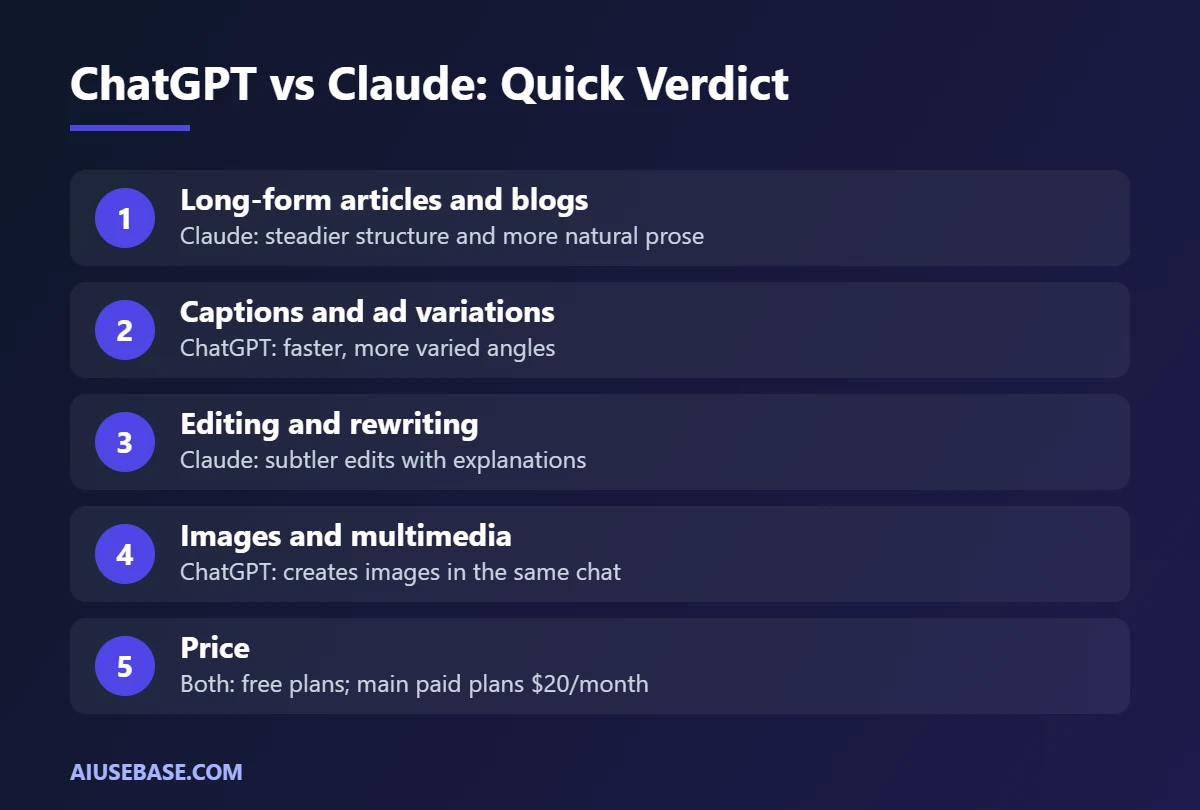
- Choose Claude if you write a lot of long-form content, care about natural prose, or edit, write emails and in-depth documents.
- Choose ChatGPT if you want one tool that does everything: ideas, captions, images, voice and search.
- Use both if content is your main job: the free plan of the other tool is still very useful.
Comparing other assistants? Read ChatGPT vs Gemini, or see how these fit into a full workflow in our AI for marketing guide. Developers can also check ChatGPT vs Claude Sonnet 5 for coding.
Is Claude or ChatGPT Better for Content Writing? Answer by Content Type
There is no single winner for content writing. The better tool depends on what you publish. This is our editorial take after comparing how both handle common content jobs.
| Content type | Better pick | Reason |
|---|---|---|
| Long blog posts and guides | Claude | Keeps structure and tone over long drafts |
| SEO outlines and briefs | Tie | Both follow a clear outline prompt well |
| Social captions and hooks | ChatGPT | Fast, punchy variations |
| Ad copy with A/B variants | ChatGPT | Good at many short options at once |
| Editing your own draft | Claude | Lighter touch, keeps your voice |
| Posts that need images | ChatGPT | Built-in image generation |
A content workflow that uses both
- Build the outline in either tool: “Create an outline for a blog post targeting [keyword] for [audience]. Use H2 and H3 headings that answer real questions.”
- Write the long draft in Claude, one section at a time, using your notes and examples.
- Use ChatGPT for 10 title options, a meta description and social captions.
- Do a final human edit: check facts, add your own experience and remove anything generic.
Want more writing tools beyond these two? See our list of the best AI writing tools. For social posts specifically, our ChatGPT prompts for Facebook posts are ready to copy.
Frequently Asked Questions
Is Claude better than ChatGPT for writing?
For long-form writing and editing, many writers find Claude’s prose more natural and less clichéd. ChatGPT is faster for short copy and brainstorming and can create images. The most reliable way to decide is to run the same prompt in both.
Is Claude free?
Yes. Claude has a free plan with web search, file uploads, memory and app connections. Claude Pro costs $20 per month ($17 per month billed annually) and adds more usage, Projects and advanced tools.
Can Claude generate images?
Claude does not generate images natively like ChatGPT. If you need visuals, write with Claude and create images with ChatGPT, Gemini or Canva.
Can AI-written content rank on Google?
Yes, if it is helpful, accurate and original. Google evaluates content quality rather than penalizing AI use. Add real experience and examples, and fact-check before publishing.
Should beginners start with ChatGPT or Claude?
Beginners usually find ChatGPT the easiest starting point because it is so versatile and widely documented. Once you write regularly, try Claude for long-form content and editing.
Is ChatGPT or Claude better for content writing?
For long-form content such as blog posts, emails and in-depth articles, Claude usually writes more natural, less clichéd text. ChatGPT is more versatile and faster for short pieces, and it can create images for your content too.
Which is better overall, Claude or ChatGPT?
It depends on your work. Claude is the stronger choice for writing and careful reasoning, while ChatGPT is the better all-in-one assistant with images, voice and more built-in tools.
Final Thoughts
There is no single winner in ChatGPT vs Claude for writing. Claude is the stronger choice for words and voice, ChatGPT for versatility. Test the free versions of both on your real daily tasks before deciding which one to pay for.
Looking for more step-by-step tutorials? Browse our AI Guides.
Related guides: you may also like our guides to how to use Claude and ChatGPT Plus vs Claude Pro.
2 thoughts on “Claude vs ChatGPT for Writing (2026): Which Writes Better?”