AI for marketing speeds up the most time-consuming parts of the job: brainstorming, writing posts and captions, creating ad images, and making sense of customer feedback. The most effective setup is simple: an AI assistant such as ChatGPT, Gemini or Claude for writing, a design tool such as Canva AI for visuals, and a human who sets the direction and approves the final version. This guide is the hub for our AI marketing tutorials and links to a detailed guide for each task.
Last updated: September 27, 2026. AI tools change quickly, so we review this guide every 3 to 6 months.
What Can AI Do for Marketing?
Think of AI as an assistant that produces a fast first draft. Here is where it helps most today:
| Task | What AI does well | Suggested tools |
|---|---|---|
| Content writing | Outlines, blog posts, social posts, emails, short video scripts | ChatGPT, Claude, Gemini |
| Captions and ads | Many headline, caption and CTA variations to test | ChatGPT, Claude |
| Images | Illustrations, background removal, product scenes, banners | Canva AI, ChatGPT Images, Gemini, Microsoft Designer |
| Research | Competitor overviews, trend summaries, long reports | ChatGPT or Gemini Deep Research, Gemini Notebook |
| Analysis | Summarizing reviews, comments and surveys into themes | ChatGPT, Claude (upload a file) |
| Presentations | Turning documents into report slides | Copilot in PowerPoint, Gamma, Canva |
New to AI assistants? Start with our guides on how to use ChatGPT and how to use Gemini.
A 5-Step AI Marketing Workflow
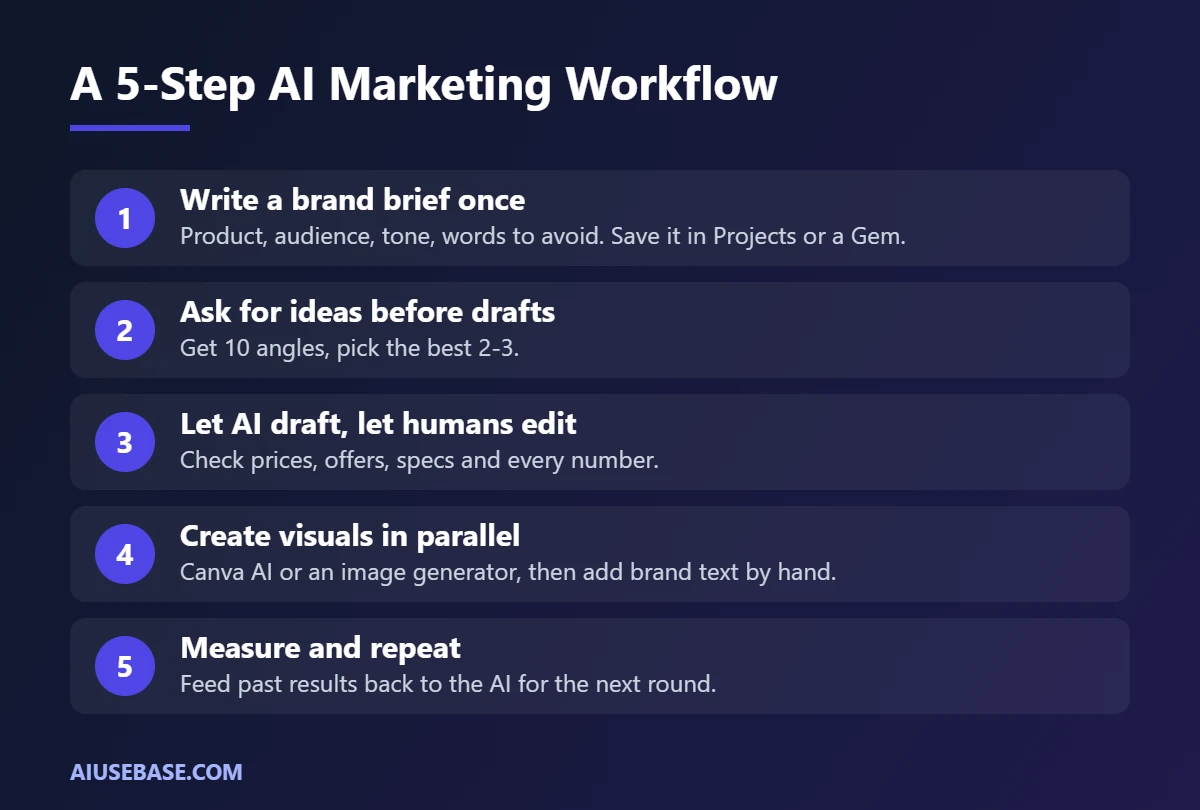
- Write a brand brief once. Describe your product, audience, tone of voice, and words to use or avoid. Save it in Projects (ChatGPT, Claude) or a Gem (Gemini) so the AI always has context.
- Ask for ideas before drafts. Request 10 angles, pick the best 2 or 3, then ask for the full piece.
- Let AI draft, let humans edit. Check prices, offers, specs and every number. AI will invent details you did not provide.
- Create visuals in parallel. Use Canva AI or an image generator for post visuals, then add text, logo and brand colors by hand.
- Measure and repeat. Paste performance data from past posts, ask which ones worked and why, and feed that into the next round.
Write Content with AI
This is where most marketers use AI every day. The key is to always tell the AI who is reading, where they are reading it, and what you want them to do next. Not sure which assistant writes better? See ChatGPT vs Claude for writing.
Example prompt:
You are a copywriter for a natural skincare brand whose customers are working women aged 25 to 35. Write an outline for a blog post titled “How to Choose Sunscreen for Oily Skin” with 6 sections and a one-sentence description for each. Friendly tone, no exaggerated claims.
Create Ad Images with AI
You do not need design skills to make good-looking posts. The three most common jobs:
- Remove or replace product photo backgrounds: see the best free AI background removers.
- Make banners and social posts from templates: see Canva AI vs Microsoft Designer.
- Generate illustrations from text: see free Midjourney alternatives.
AI images are great for illustrating ideas. For product shots, use real photos and let AI handle the background and lighting, so customers are never misled.
Write Captions and Sales Posts with AI
Captions are where AI saves the most time, because you can ask for 5 to 10 versions at once and pick the best. For ready-made prompts covering launches, flash sales and customer care, see ChatGPT prompts for Facebook sales posts.
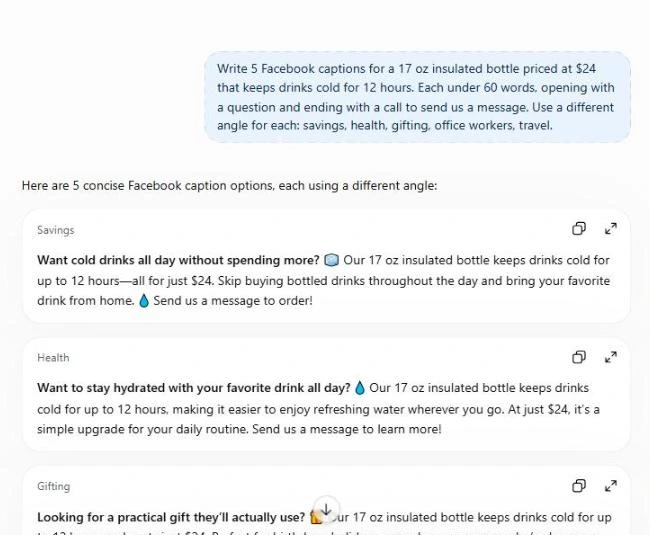
Example prompt:
Write 5 Facebook captions for a 17 oz insulated bottle priced at $24 that keeps drinks cold for 12 hours. Each under 60 words, opening with a question and ending with a call to send us a message. Use a different angle for each: savings, health, gifting, office workers, travel.
Research Customers and Competitors
- Use Deep Research in ChatGPT or Gemini to compile public market information with cited sources.
- Upload reports and survey results to Gemini Notebook (the new name for NotebookLM) to ask questions about your own documents. See how to use an AI PDF reader.
- Export reviews or comments to a file and ask AI to group them into themes: what people praise, what they complain about, and what they ask most often.
Build Marketing Report Slides
When it is time to present campaign results, write the report in Word and let AI turn it into slides. Step-by-step guide: how to convert Word to PowerPoint with AI.
Common AI Marketing Mistakes
- Publishing AI text as-is. It tends to sound generic and similar to thousands of other pages. Add your own experience, data and examples.
- Letting AI invent product details. Always supply real specs, prices and policies.
- Using misleading AI images. Visuals that differ from the real product erode trust and can get ads rejected.
- Pasting customer data into personal accounts. Strip names and phone numbers before sharing data with AI.
Guides in This AI Marketing Series
- ChatGPT vs Claude for Writing: Which AI Writes Better?
- ChatGPT Prompts for Facebook Sales Posts
- Best Free AI Background Removers
- Canva AI vs Microsoft Designer
- Free Midjourney Alternatives
- How to Convert Word to PowerPoint with AI
- 15 Best AI Tools Ranked by Use Case
Frequently Asked Questions
Will AI replace marketers?
No. AI speeds up drafts, ideas and repetitive work, but strategy, customer insight, choosing the message and taking responsibility for it remain human jobs. Marketers who use AI well simply get more done in the same time.
Where should beginners start with AI for marketing?
Start with a free AI assistant such as ChatGPT or Gemini for captions and outlines, and Canva for visuals. Once you are comfortable, save a brand brief in Projects or a Gem so the AI writes in your voice.
Which AI marketing tools are free?
ChatGPT, Gemini and Claude all have free plans that handle everyday writing. Canva Free and Microsoft Designer include monthly free AI allowances for visuals. You only need paid plans when you keep hitting the limits.
Does Google penalize AI-written content?
Google does not penalize content just because AI helped write it. It rewards content that is helpful, accurate and original. Mass-produced, generic, unedited content is the real risk.
Can I use AI images in ads?
Yes, as long as they do not misrepresent the product and do not use real people or other brands without permission. For product photos, use real shots and let AI adjust only the background.
Final Thoughts
AI for marketing is not a single tool but a workflow: AI drafts and designs quickly, and you steer, check and add what makes your brand unique. Start small with captions, then expand to visuals, research and reporting using the guides above.
Looking for more step-by-step tutorials? Browse our AI Guides.
1 thought on “AI for Marketing in 2026: The Complete Guide (Content, Images, Ads)”