The best free AI quiz generators for teachers are Gemini in Google Classroom (if your school uses Google Workspace for Education), Wayground (formerly Quizizz) and Kahoot! for game-style quizzes, and ChatGPT or Gemini when you want full control over the questions. All of them can turn a text, a PDF or your notes into multiple-choice questions with an answer key in under a minute. You still need to check every answer before students see it.
Last updated: October 1, 2026.
AI Quiz Generators Compared
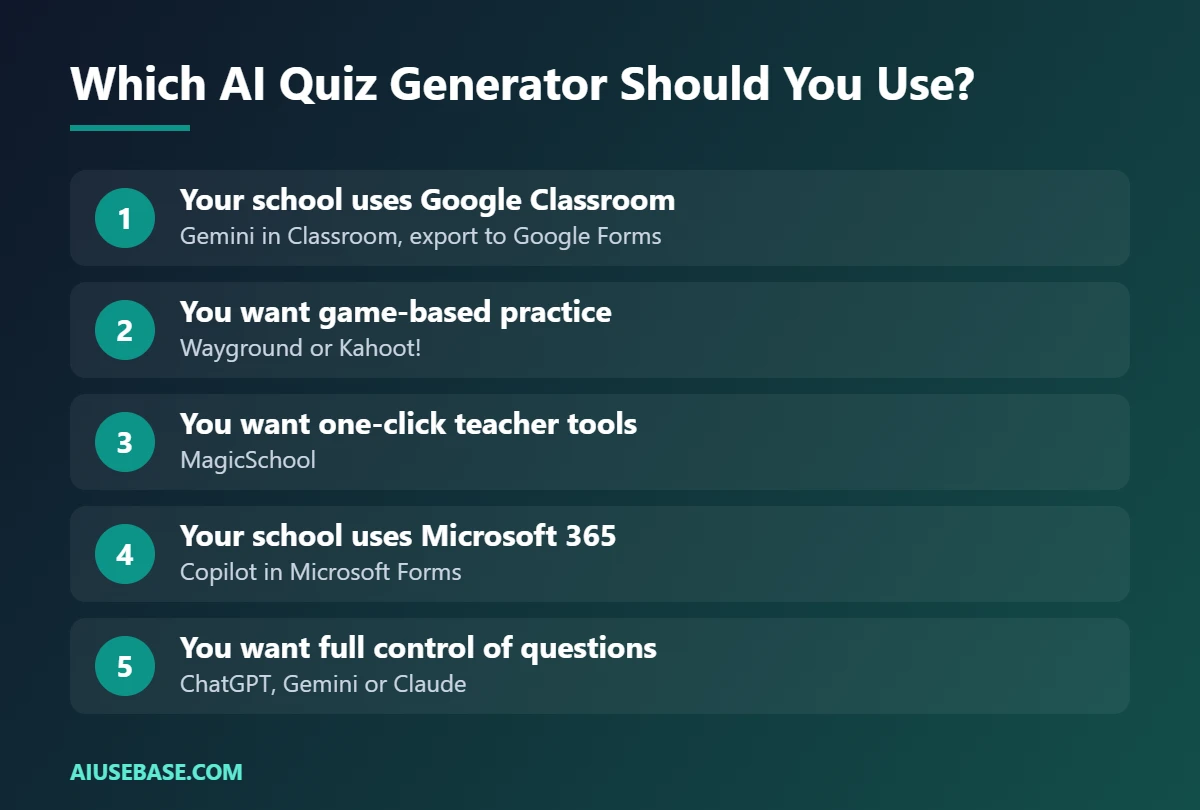
| Tool | Free? | Best for | Exports to |
|---|---|---|---|
| Gemini in Google Classroom | Yes, with Google Workspace for Education | Google schools | Google Forms, Classroom |
| Wayground (formerly Quizizz) | Free plan, extras on paid plans | Game-based practice and homework | Wayground, LMS integrations |
| Kahoot! | Free plan; some AI features are paid | Live whole-class games | Kahoot! |
| MagicSchool | Free plan | Many teacher tools in one place | Copy-paste or export options |
| Microsoft Forms with Copilot | Depends on your school’s Microsoft 365 license | Microsoft schools | Microsoft Forms |
| ChatGPT / Gemini / Claude | Free plans | Full control over question style | Copy-paste anywhere |
| Conker | Free plan | Quick quizzes for Google Forms | Google Forms, Google Classroom, Canvas |
Free-plan limits change often, so check each tool’s pricing page. Checked October 2026.
1. Gemini in Google Classroom
Teachers with Google Workspace for Education accounts get Gemini inside Classroom at no extra cost. Open the Gemini tab, choose Generate a quiz, set the grade level, topic and number of questions, and export the result to Google Forms. Since June 2026 the Gemini tab also works in the Classroom mobile apps.
Best for: schools already using Google Classroom. Limitation: you need a school account verified as a teacher.
2. Wayground (formerly Quizizz)
Quizizz rebranded as Wayground as it grew beyond quizzes. Its AI can build a quiz from a topic, a document or a web page, and students play it live or as homework with instant feedback. Teachers can sign up free; some resources and features need a paid plan.
Best for: engaging practice and homework with built-in reports.
3. Kahoot!
Kahoot! remains the classic for live, competitive review games. It offers AI tools that suggest questions from a topic or a PDF, though which AI features you get depends on your plan.
Best for: end-of-unit review and energizing a class.
4. MagicSchool
MagicSchool bundles dozens of teacher tools, including multiple-choice, text-dependent question and exit-ticket generators. You choose the grade level, paste a text or topic, and get questions with answers. A free plan covers the core tools.
Best for: teachers who want one-click tools rather than writing prompts.
5. Microsoft Forms with Copilot
If your school runs on Microsoft 365, Copilot in Microsoft Forms can draft a quiz from a prompt or a document. Availability depends on your school’s license, so ask your IT team.
Best for: Microsoft schools using Teams and OneNote.
6. ChatGPT, Gemini or Claude
A general AI assistant gives you the most control: question types, difficulty, distractors, explanations, and format. Paste your text and use the prompt below, then copy the questions into any quiz platform.
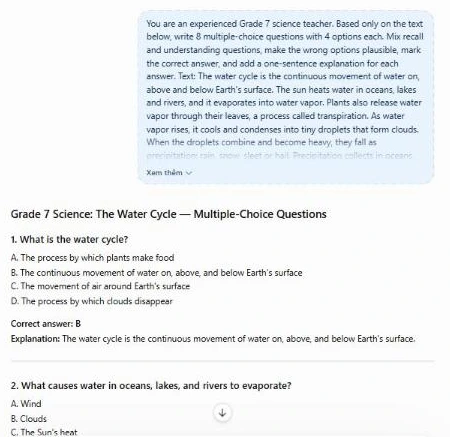
You are an experienced [grade] [subject] teacher. Based only on the text below, write 8 multiple-choice questions with 4 options each. Mix recall and understanding questions, make the wrong options plausible, mark the correct answer, and add a one-sentence explanation for each answer. Text: [paste]
Here is the real ChatGPT output for this prompt, using a short passage about the water cycle:
Want more? Ask for “3 short-answer questions that require explaining why” or “a 5-question exit ticket at a lower reading level”. More prompts are in ChatGPT prompts for teachers.
7. Conker
Conker focuses on quick quiz creation and exports to Google Forms, Google Classroom and Canvas. It is a simple option if you just want questions in a form without a full platform.
Best for: fast formative checks in Forms.
How to Check AI-Generated Questions
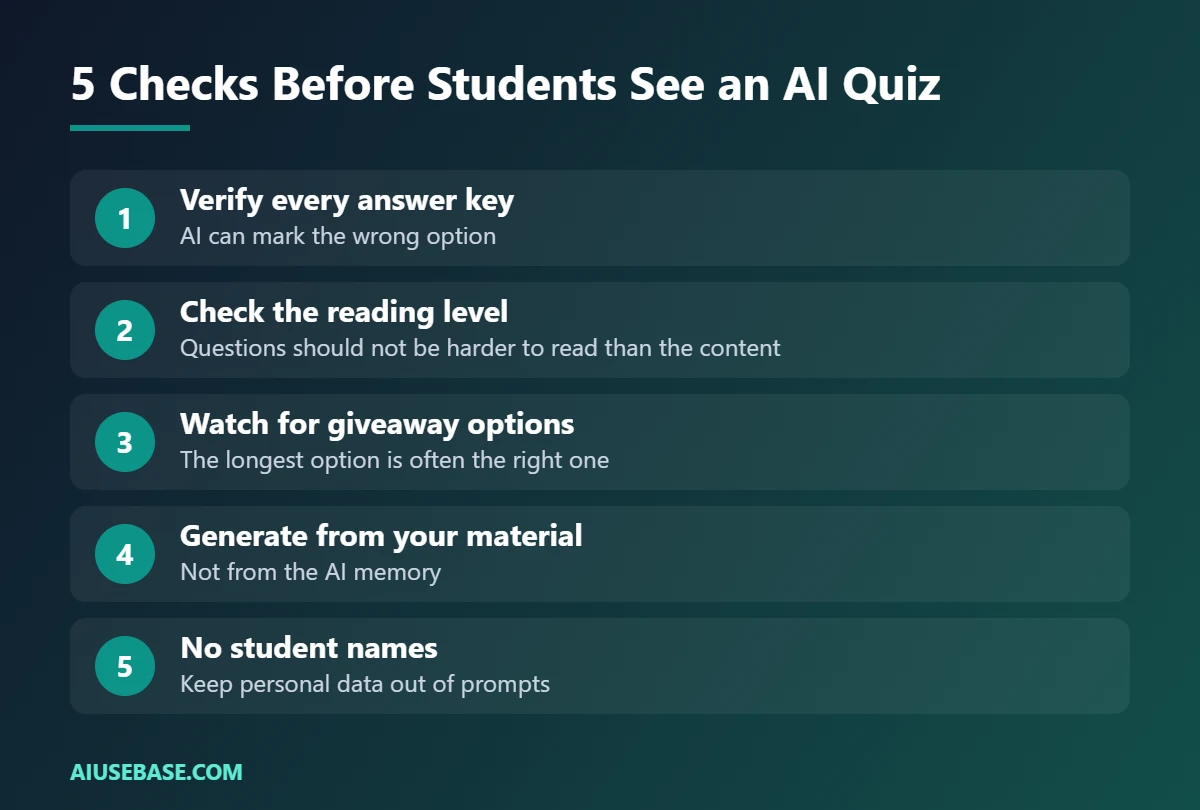
- Verify every answer key. AI sometimes marks the wrong option or writes two correct answers.
- Check the reading level. Questions can be harder to read than the content they test.
- Watch for giveaway options. The longest or most detailed option is often the right one.
- Generate from your material. Questions based on your text are far more accurate than questions from memory.
- Never include student names when you paste content into an AI tool.
To pull questions from a long PDF, see our guide to AI PDF readers.
Frequently Asked Questions
What is the best free AI quiz generator for teachers?
If your school uses Google Workspace for Education, Gemini in Google Classroom is the best free option because it creates quizzes and exports them to Google Forms in one place. For game-based quizzes, Wayground and Kahoot! are the most popular. ChatGPT or Gemini give the most control.
Can AI create a quiz from a PDF?
Yes. Gemini, ChatGPT, Wayground and Kahoot! can all create questions from an uploaded document. Results are best with text-based PDFs; scanned pages may need checking more carefully.
Are AI-generated quiz answers always correct?
No. AI can mark a wrong option as correct or create ambiguous questions. Review every question and answer before giving the quiz to students.
Can I export AI quiz questions to Google Forms?
Yes. Gemini in Classroom and Conker export to Google Forms. From ChatGPT, you can copy the questions or ask for a format that is easy to paste.
Is it safe for students to use AI quiz tools?
Most of these tools are designed for teachers to create quizzes. Before students use any AI tool directly, check your school’s policy and the tool’s age requirements.
What is the best free test generator for teachers?
If your school uses Google Classroom, Gemini in Classroom is the easiest free choice. Wayground (formerly Quizizz) and Kahoot! are best for interactive quizzes, while ChatGPT, Gemini or Claude can write a printable test from your own materials in seconds.
Can AI generate a test from an article or text?
Yes. Paste the article into ChatGPT, Gemini or Claude and ask, for example: “Write 10 multiple-choice questions and 2 short-answer questions based only on this text, with an answer key.” Always check the answers against the original text before giving the test to students.
Final Thoughts
AI quiz generators save hours of question writing, but the best results come from your own material and a careful review. Use Gemini in Classroom or Microsoft Forms if your school already has them, Wayground or Kahoot! for games, and ChatGPT when you want full control. For the bigger picture, read our AI for teachers guide.
Looking for more step-by-step tutorials? Browse our AI Guides.
1 thought on “7 Best Free AI Quiz and Test Generators for Teachers (2026)”