For most teachers in schools that use Google Workspace, Gemini is the better everyday choice because it is built into Google Classroom, Docs, Slides and Forms and comes at no extra cost with Google Workspace for Education. ChatGPT is the stronger all-rounder for flexible writing, creative activities and deep research, and it is free for verified U.S. K-12 teachers through ChatGPT for Teachers. Both write good lesson plans and quizzes; the real difference is where you already work.
Last updated: October 1, 2026.
ChatGPT vs Gemini for Teachers: Comparison Table
| Criteria | ChatGPT | Gemini |
|---|---|---|
| Lesson plans | Excellent, very flexible formats | Excellent, can be created inside Classroom |
| Quizzes | Strong, copy into any platform | Strong, exports to Google Forms from Classroom |
| Feedback on writing | Very good with a rubric | Very good, suggested feedback tools in Classroom |
| Google Classroom integration | No native integration | Built in (Gemini tab in Classroom, also on mobile) |
| Slides and visuals | Images, files, Canvas-style editing | Presentations, infographics, comics and interactive activities from Classroom |
| Research | Web search, deep research | Web search, Deep Research, Gemini Notebook |
| Education offer | ChatGPT for Teachers: free for verified U.S. K-12 staff through June 2028 | Gemini in Classroom at no extra cost with Google Workspace for Education |
| Free plan for everyone | Yes | Yes |
| Popular paid plan | Go $8, Plus $20/month | Google AI Pro (price varies by country) |
Offers and prices checked October 2026. Always check eligibility on the official pages.
Lesson Planning: A Tie, With Different Strengths
Both assistants produce well-structured lesson plans when you give them the grade, objective and lesson length. ChatGPT is especially good at creative hooks, role-plays and unusual activity ideas, and it follows detailed formatting instructions well. Gemini’s advantage is location: in Google Classroom you can generate a plan, then turn it into a quiz, rubric or slides without leaving your class. Step-by-step instructions: how to use ChatGPT to write lesson plans.
Quizzes and Assessments: Gemini Wins for Google Schools
Gemini in Classroom can generate a quiz and send it to Google Forms in a few clicks, which saves the copy-paste step. ChatGPT gives you more control over question style and explanations, and the output works with any platform. Compare more tools in the best free AI quiz generators for teachers.
Feedback and Report Comments: ChatGPT Has the Edge
For writing personalized feedback, report comments and parent emails, ChatGPT tends to be a little more natural and easier to steer toward your tone. Gemini does this well too, and its Classroom tools can suggest feedback on student writing. Prompts for both are in ChatGPT prompts for teachers.
Visuals and Classroom Materials: Gemini Is More Integrated
Since June 2026, Gemini in Classroom can create infographics, comic strips, presentations and interactive activities, and convert files to Google Slides. ChatGPT can generate images and files too, but you then move them into your teaching tools yourself.
Privacy and School Approval
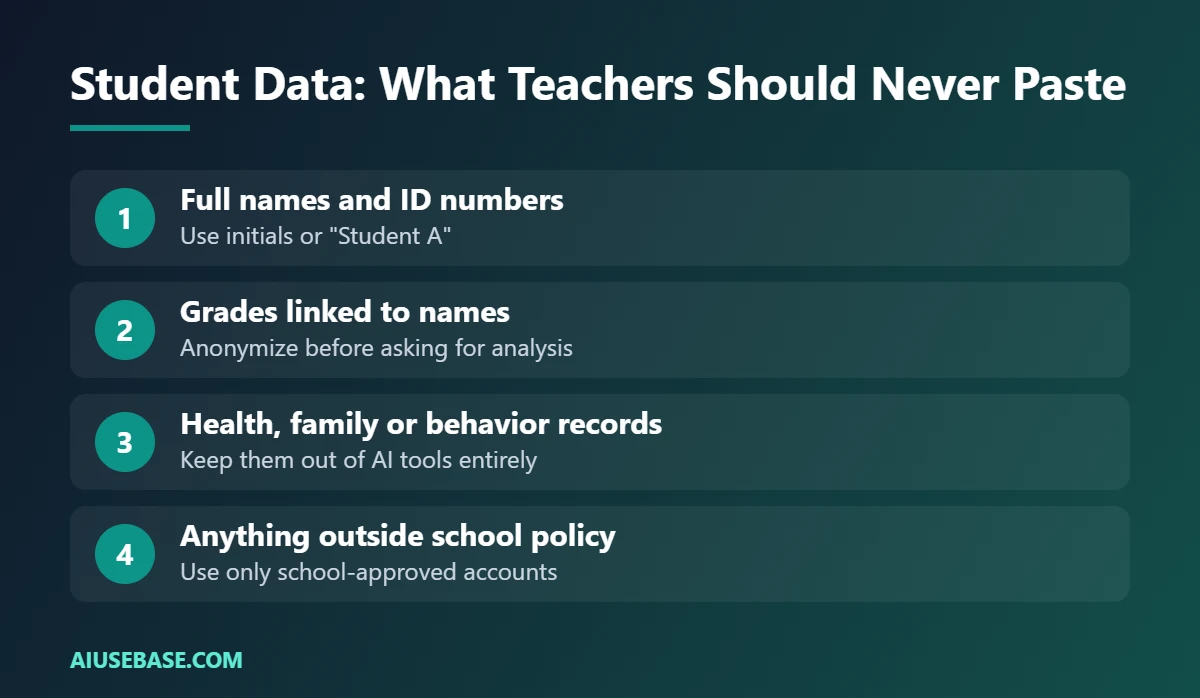
This matters more than features. Use the version your school has approved:
- Gemini with a school Google account runs under your school’s Google Workspace for Education agreement.
- ChatGPT for Teachers is a separate workspace for verified U.S. K-12 educators; OpenAI says data shared there is not used to train its models by default.
- Personal free accounts of either tool are not the place for student names, grades or records.
When in doubt, ask your school or district which tools are approved.
Which Should You Choose?
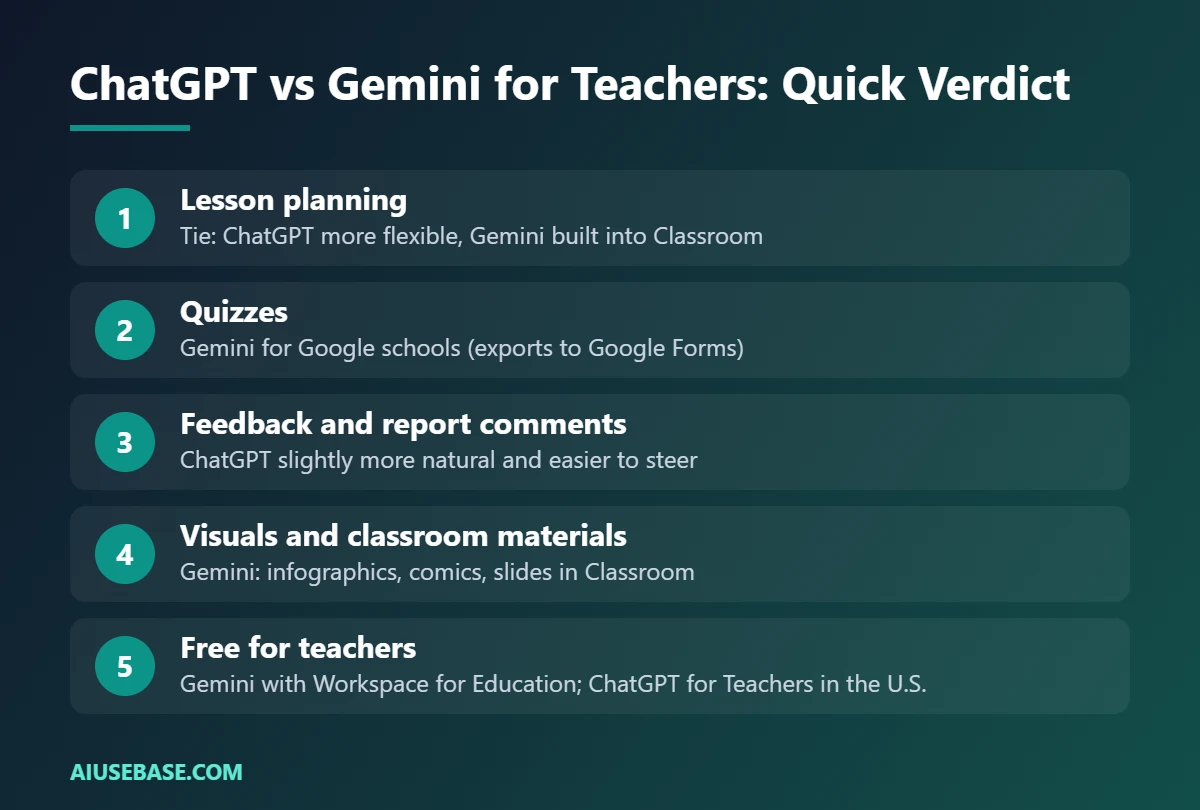
- Choose Gemini if your school uses Google Classroom and Google Workspace for Education. It is free with your school account and saves the most clicks.
- Choose ChatGPT if you want the most flexible writing assistant, work across many platforms, or qualify for ChatGPT for Teachers in the U.S.
- Use both if you can: Gemini for Classroom tasks, ChatGPT for creative planning and communication.
For a general comparison outside education, read ChatGPT vs Gemini: which AI assistant should you use?, and for the full picture see our AI for teachers guide.
Try It Yourself: 5 Prompts to Test ChatGPT and Gemini Side by Side
The fastest way to decide between ChatGPT and Gemini for teaching is to run the same prompts in both and compare the results with your own class in mind. These five prompts cover the tasks teachers use AI for most.
- Lesson plan: “Create a 45-minute lesson plan for [grade] on [topic]. Include an objective, a 5-minute warm-up, guided practice, an exit ticket and one differentiation idea.”
- Quiz: “Write 10 multiple-choice questions on [topic] for [grade]. Mark the answers and explain why each wrong option is wrong.”
- Feedback: “Here is a student paragraph: [paste, no names]. Give two specific strengths and one next step, in friendly language a 12-year-old understands.”
- Parent email: “Write a short, warm email to parents about [event or concern]. Keep it under 150 words.”
- Visual material: “Make a one-page worksheet on [topic] with a word bank, 6 gap-fill sentences and a small challenge task.”
Score each answer on accuracy, fit for your students and how much editing it needed. Most teachers end up keeping both tools: one for drafting and one for checking. For more ready-made prompts, browse our ChatGPT prompts for teachers, our guide to ChatGPT lesson plans and the best AI quiz generators for teachers.
Hands-On Test: The Same Quiz Prompt in ChatGPT and Gemini
We ran the quiz prompt below in the free versions of ChatGPT and Gemini on October 18, 2026, each in a new chat with no extra instructions.
Prompt: “Write 5 multiple-choice questions on the water cycle for grade 6 students. Give 4 options each and mark the correct answer.”
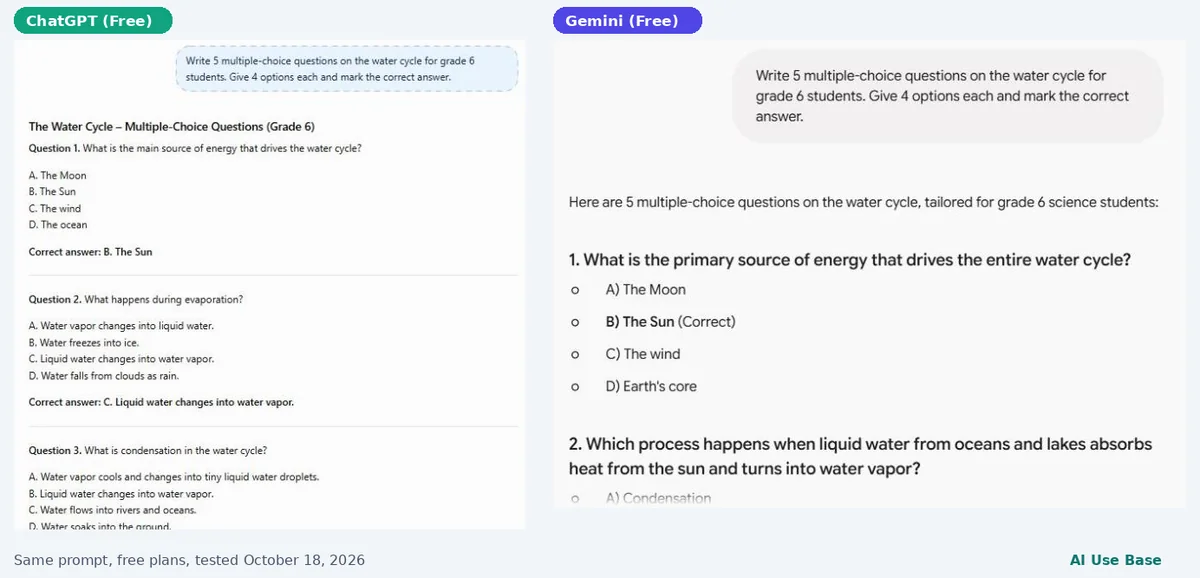
- Accuracy: all 10 answer keys were correct in both tools.
- ChatGPT used clear, simple wording, but some wrong options were too easy. For example, one question offered “It disappears forever” and “It becomes sunlight” as distractors, which most students can rule out without knowing the science.
- Gemini used real science terms as distractors (condensation, runoff, transpiration, even sublimation), which tests understanding better. However, terms like sublimation may not have been taught yet in grade 6.
- Formatting: ChatGPT put the answer under each question; Gemini wrote “(Correct)” next to the option. Either way, remove the answers before printing for students.
Our takeaway: Gemini gave the more challenging quiz, ChatGPT the more accessible one. A quick follow-up such as “Make every distractor a plausible misconception” fixes ChatGPT’s weak options. For more quiz tools, see our AI quiz generators for teachers.
Next step: turn a Word document into slides with AI to build lesson slides from your notes in minutes.
Frequently Asked Questions
Is Gemini free for teachers?
Gemini in Google Classroom is available at no extra cost to verified teachers with Google Workspace for Education accounts. Anyone can also use the free Gemini app with a personal Google account.
Is ChatGPT free for teachers?
The standard free ChatGPT plan is available to everyone. Verified U.S. K-12 teachers and staff can also get ChatGPT for Teachers free through June 2028.
Which AI is better for lesson planning?
Both are excellent. ChatGPT is slightly more flexible with creative activities and formats, while Gemini is more convenient if you plan inside Google Classroom.
Can students use Gemini or ChatGPT?
It depends on age rules and your school’s policy. Some Gemini features in Classroom are designed for students under teacher control, but always check your school’s settings and policy before students use any AI tool.
Which AI is safer for student data?
The safest option is whichever tool your school has approved under an education agreement. Avoid pasting identifiable student information into personal accounts of any AI tool.
Final Thoughts
In the ChatGPT vs Gemini for teachers debate, the winner is usually decided by your school’s platform. Google schools should start with Gemini in Classroom; everyone else gets an excellent, flexible assistant in ChatGPT. Try both on the same lesson and keep the one that saves you more time.
Looking for more step-by-step tutorials? Browse our AI Guides.