ChatGPT Projects are folders that keep related chats, files and instructions together, so ChatGPT remembers the context of one piece of work without you repeating it. Projects are available on every plan, including Free, and you can now share a project with other people.
This guide shows how to set up a project, what to put in it, how project memory works and the limits on each plan.
ChatGPT Projects at a Glance
| Plan | Files per project | Sharing |
|---|---|---|
| Free | Up to 5 | Yes, small groups |
| Go | Up to 25 | Yes |
| Plus | Up to 25 | Yes |
| Pro | Up to 40 | Yes, larger groups |
| Business, Enterprise, Edu | Up to 40 | Yes, with admin controls |
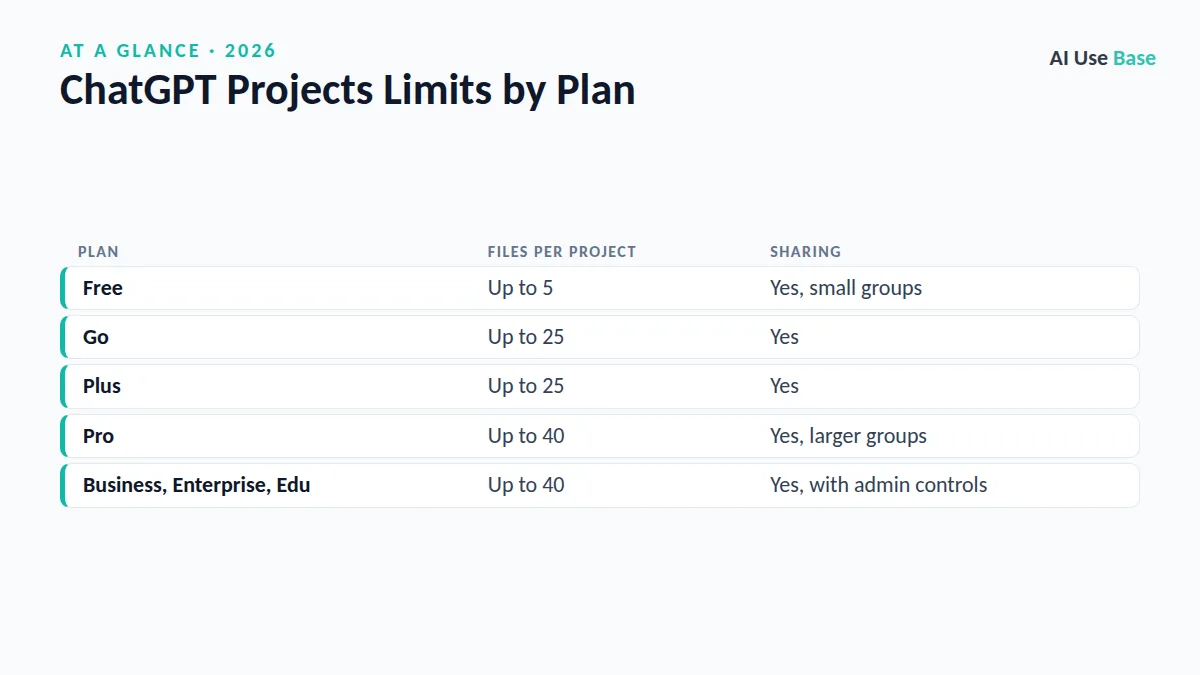
Limits come from OpenAI’s Projects help article (checked October 2026) and may change. You can upload up to 10 files at once.
What Are ChatGPT Projects?
Think of a project as a workspace for one goal: a class, a client, a book, a job search or a research topic. Inside it you keep:
- Chats about that topic, grouped in one place in the sidebar
- Files such as PDFs, spreadsheets and notes that every chat in the project can use
- Instructions that apply only inside the project, such as tone, audience or format
- Project memory, so new chats can build on earlier ones
How to Create a Project in ChatGPT
- Click “New project” in the left sidebar on chatgpt.com or in the app.
- Name it and pick an icon and color so you can find it quickly.
- Choose the memory setting. Default memory can use your saved memories; project-only memory keeps the project separate from everything else. You can only choose this when creating the project.
- Add files with the add files option. Upload the documents the work depends on.
- Add instructions from the three-dot menu at the top right of the project.
- Start a chat inside the project, or drag existing chats into it.
How to Write Good Project Instructions
Instructions in ChatGPT Projects override your general custom instructions, so be specific. A useful template:
“This project is for [goal]. The audience is [who]. Always [format or tone rule]. Use the uploaded files as the main source and say when something is not in them. Ask a clarifying question if my request is unclear.”
Example for a student: “This project is for my Biology 101 course. Explain things at first-year level, use the lecture PDFs as the main source, and end each answer with two practice questions.”
10 Ways to Use ChatGPT Projects
- A course: upload the syllabus and lecture notes, then ask for summaries and practice quizzes.
- A job search: keep your resume, job ads and cover letters together.
- A client: store the brief, brand guide and past deliverables.
- A blog or newsletter: add your style guide and best posts so drafts sound like you.
- A research topic: collect papers and ask for comparisons across them.
- A trip: save bookings, ideas and budgets in one place.
- A coding side project: add key files and a README for consistent help.
- Home admin: manuals, warranties and insurance documents for quick answers.
- A team handbook: share a project with policies so colleagues can ask questions.
- Personal finance: budgets and plans, with sensitive numbers removed.
How Project Memory Works
Inside a project, ChatGPT can draw on earlier chats and files in the same project, so you can pick up where you left off a week later. With default memory it may also use your general saved memories; with project-only memory it stays inside the project. Choose project-only memory for client work or anything you want kept separate.
Sharing ChatGPT Projects
Use the Share button to invite people by email or link, with edit or chat-only access. Shared projects automatically use project-only memory, so collaborators do not see your personal memories. The number of collaborators depends on the owner’s plan.
Limits and Tips for ChatGPT Projects
- Keep files focused. Fewer, relevant files give better answers than dozens of loosely related ones.
- Name files clearly, such as “2026-budget-final.xlsx,” so ChatGPT and you can refer to them.
- Check answers against files. Ask ChatGPT to quote the passage it used.
- Deleting is permanent. Deleting a project removes its chats, files and instructions for everyone it was shared with.
- Mind privacy. Review your data controls before uploading work or personal documents.
ChatGPT Projects vs Claude Projects
Claude has a similar Projects feature with its own knowledge base and instructions. Both work well; ChatGPT has the larger set of built-in tools, while Claude is often preferred for long documents and writing. Our guide on how to use Claude covers its version, and our ChatGPT Plus vs Claude Pro comparison helps if you are choosing a paid plan.
New to ChatGPT? Start with our how to use ChatGPT guide, see whether ChatGPT Plus is worth it, or browse more options in our best AI tools list. You can also read OpenAI’s overview on the ChatGPT overview page and plan details on ChatGPT pricing.
Frequently Asked Questions
Are ChatGPT Projects free?
Yes. Projects are available on the Free plan with up to 5 files per project. Go and Plus allow up to 25 files, and Pro and business plans allow up to 40.
What is project-only memory in ChatGPT?
With project-only memory, ChatGPT uses only the chats and files inside that project and ignores your saved memories and other chats. You must choose it when you create the project.
Can I share a ChatGPT project with others?
Yes. Use the Share button to invite people by email or link with edit or chat access. Shared projects use project-only memory automatically.
How do I move a chat into a project?
Drag the chat onto the project in the sidebar, or open the chat menu and choose Move to project.
What happens if I delete ChatGPT Projects?
Deleting a project permanently removes its chats, files and instructions, including for anyone it was shared with. Download anything you need first.
Final Thoughts
ChatGPT Projects turn scattered chats into organized workspaces. Create one project per goal, add only the files that matter, write clear instructions and choose project-only memory when you want a clean separation. A few minutes of setup saves you from re-explaining your context every time.
1 thought on “How to Use ChatGPT Projects: Complete Guide (2026)”